Best Tools to Download Pictures from Instagram

Instagram has become one of the most important platforms for sharing visual content. From personal photos and travel memories to professional photography, influencer content, and brand marketing assets, millions of high-quality pictures are uploaded every day. However, Instagram does not offer a simple “Download” button for saving images—especially when it comes to downloading multiple pictures or backing up an entire account.
Whether you want to save your own Instagram pictures, collect inspiration from public profiles, archive content before deletion, or download photos in bulk, choosing the right tool makes a huge difference. In this article, we’ll explore the best tools to download pictures from Instagram, so that you can save much time when downloading multiple Instagram pictures.
1. Download Your Own Instagram Pictures
If your main goal is to download your own Instagram photos, the safest option is Instagram’s built-in data download feature.
How it works:
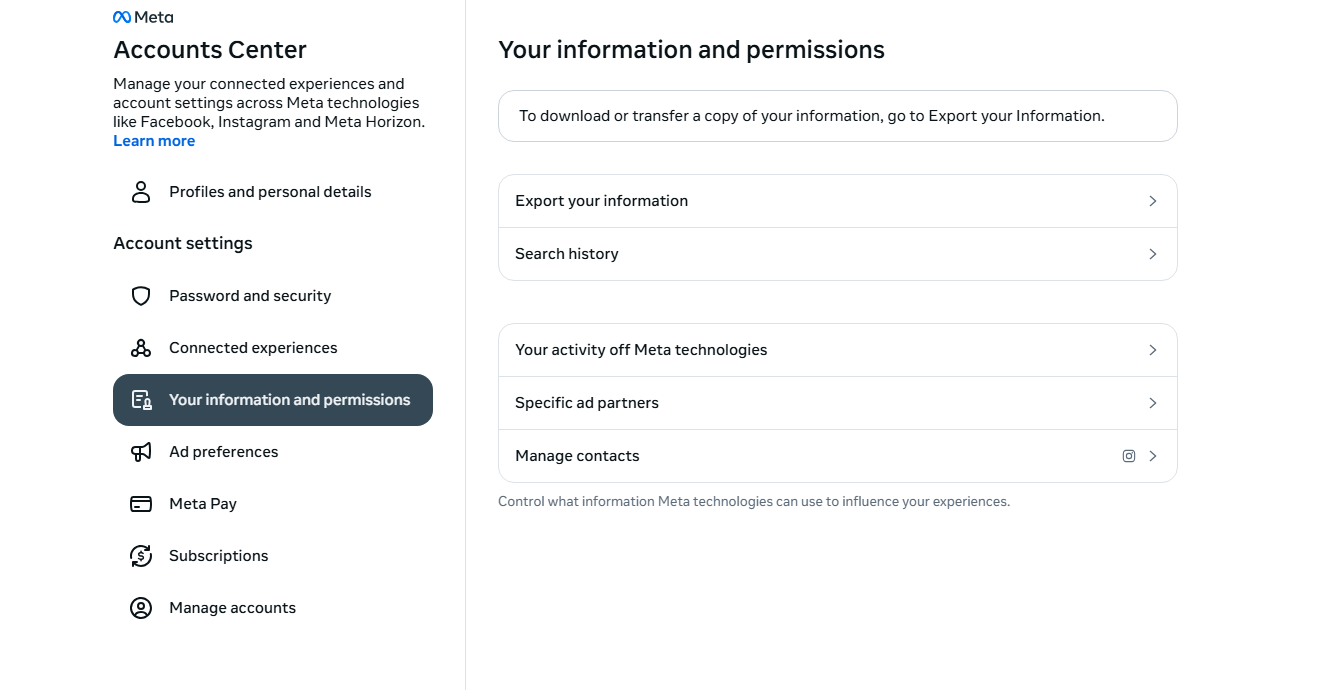
- Open Instagram and go to Settings → Navigate to Accounts Center → Your information and permissions → Select Export your information → Choose Photos and videos.
- Submit the request and wait for Instagram to prepare your data.
- Download the ZIP file once it’s ready.
Pros:
- Official and secure
- Includes original uploads
- No third-party tools required
Cons:
- Can take hours or days to process
- Downloads everything at once (no selective control)
- Cannot be used to download pictures from other users
This method is best for users who want a full backup of their own Instagram content but is not ideal for browsing, filtering, or downloading photos from other accounts.
2. Download Instagram Pictures Using Online Downloaders
Online Instagram downloaders are among the most popular tools because they don’t require installation and work directly in your browser.
Popular choices:
- SnapInsta
- SSSinstagram
- Toolzu Instagram Photo Downloader
How online downloaders work:
- Copy the link to an Instagram post.
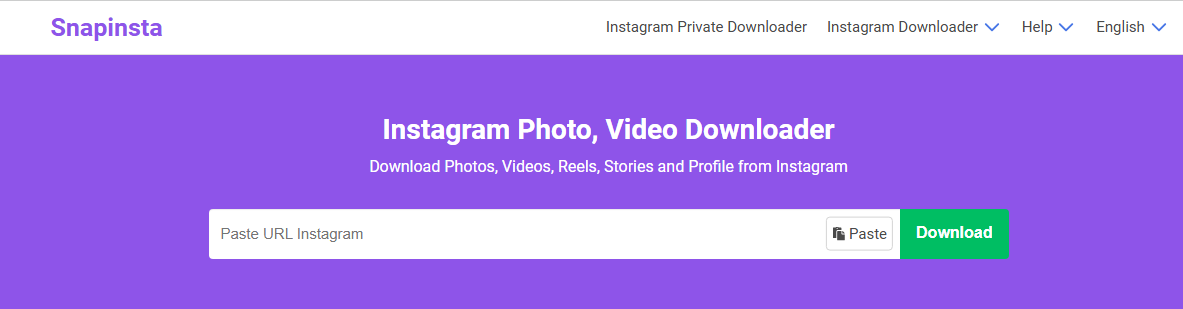
- Open an Instagram photo downloader website (like SnapInsta) and paste the link into the input field.
- Click Download and save the image from Instagram.
Most online tools support:
- Single photo posts
- Carousel posts (multiple images)
- Public Instagram accounts
Pros:
- Easy to use
- Works on desktop and mobile
- No software installation
Cons:
- Often filled with ads and pop-ups
- Limited or no bulk download support
- Potential privacy risks
- Image quality may be compressed
- Not reliable for large collections
Online downloaders are suitable for occasional downloads but become inefficient and frustrating when you need to download many Instagram pictures.
3. Download Instagram Pictures with Browser Extensions
Browser extensions add download functionality directly to Instagram, making the process faster and more convenient.
Popular extension choices:
- Image Downloader Imageye
- DownloadThemAll!
- Turbo Downloader for Instagram
How browser extensions work:
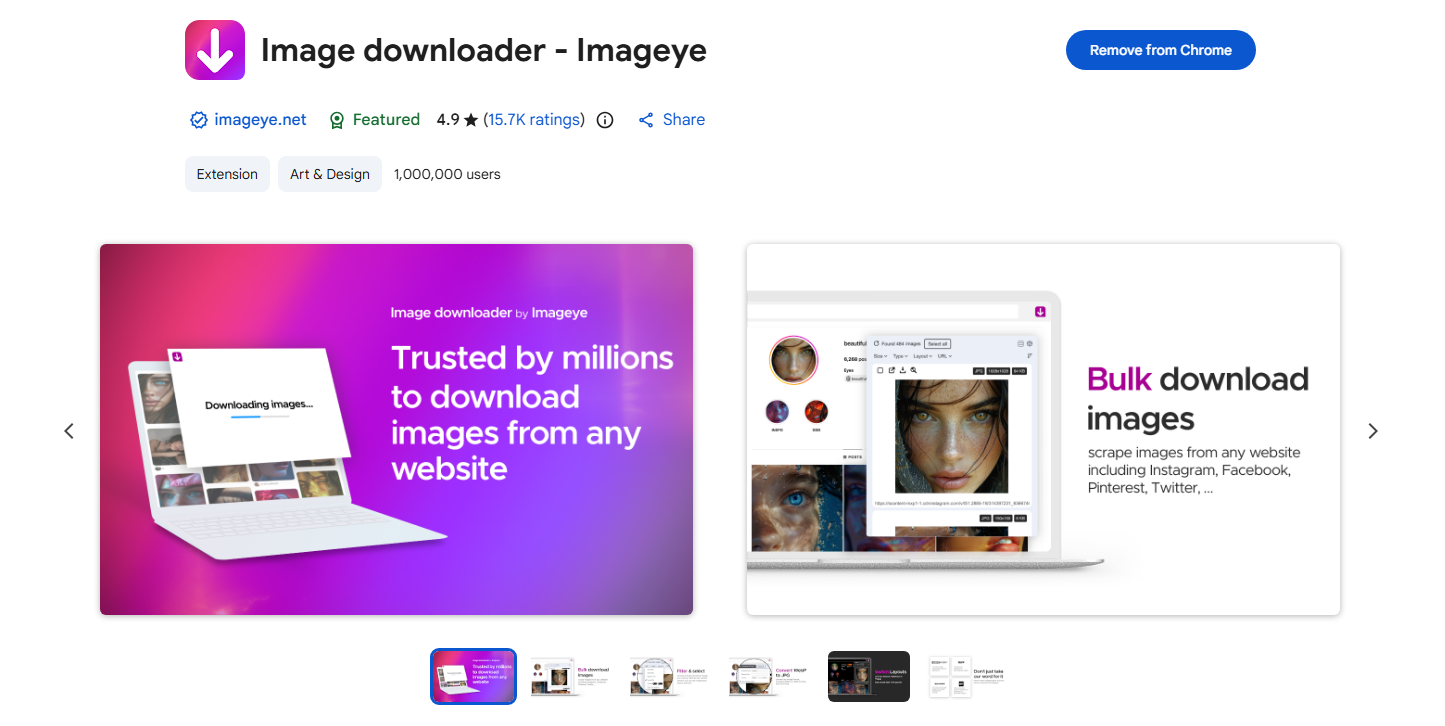
- Install an Instagram downloader extension (like Imageye) from your browser’s extension store.
- Log in to Instagram in your browser, then open a post or profile that contains pictures you want to download.
- Click the extension icon, then filter detected pictures and download them on your device.
Pros:
- Integrated directly into browser
- Convenient for frequent downloads
- No need to switch websites
Cons:
- Extensions may break after Instagram updates
- Many extensions have limited bulk features
- Some require broad permissions that affect privacy
Browser extensions are a good middle-ground solution for users who regularly save individual Instagram pictures but don’t need advanced automation.
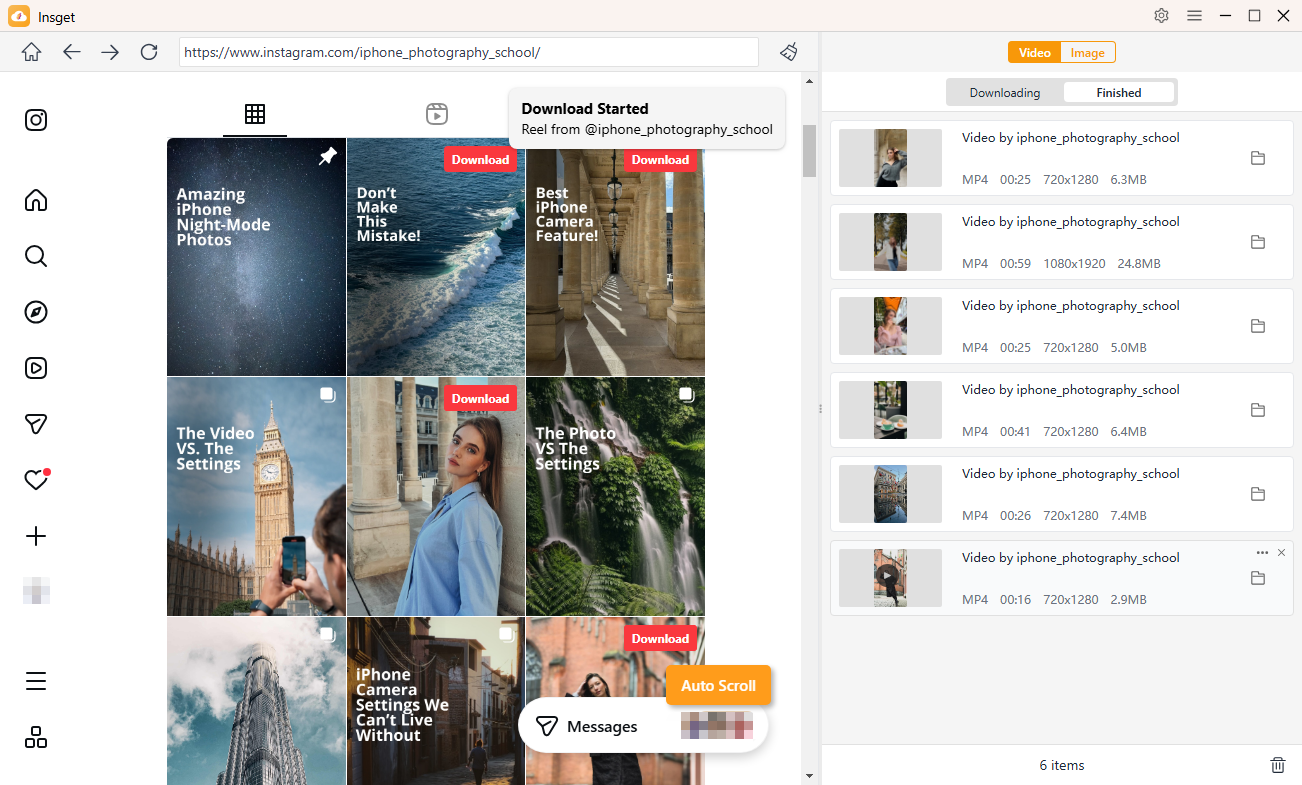
4. Advanced Bulk Download Instagram Pictures with Insget
When you need to download Instagram pictures in bulk, none of the methods above compare to a professional desktop tool. This is where Insget stands out as the best solution.
Insget is a powerful bulk Instagram video and picture downloader designed for users who want speed, quality, and control. It allows you to download large numbers of Instagram images efficiently while preserving original resolution.
What Insget can do:
- Download all pictures from an Instagram profile.
- Bulk download Instagram videos and images together.
- Built-in browser to access public and private content.
- Filter pictures quickly by types and resolutions.
- Download pics and videos in popular or original formats.
- Work well on both Windows and Mac systems.
How to download pictures in bulk with Insget:
- Download the Insget installer for your operating system (Windows or Mac), install and launch it.
- Inside Insget, sign in to your Instagram account securely and locate the page that you want to download pictures from.
- Scroll the page and Insget will automatically extract all original pictures and thumbnails, the you can filter files and download them in one-click.
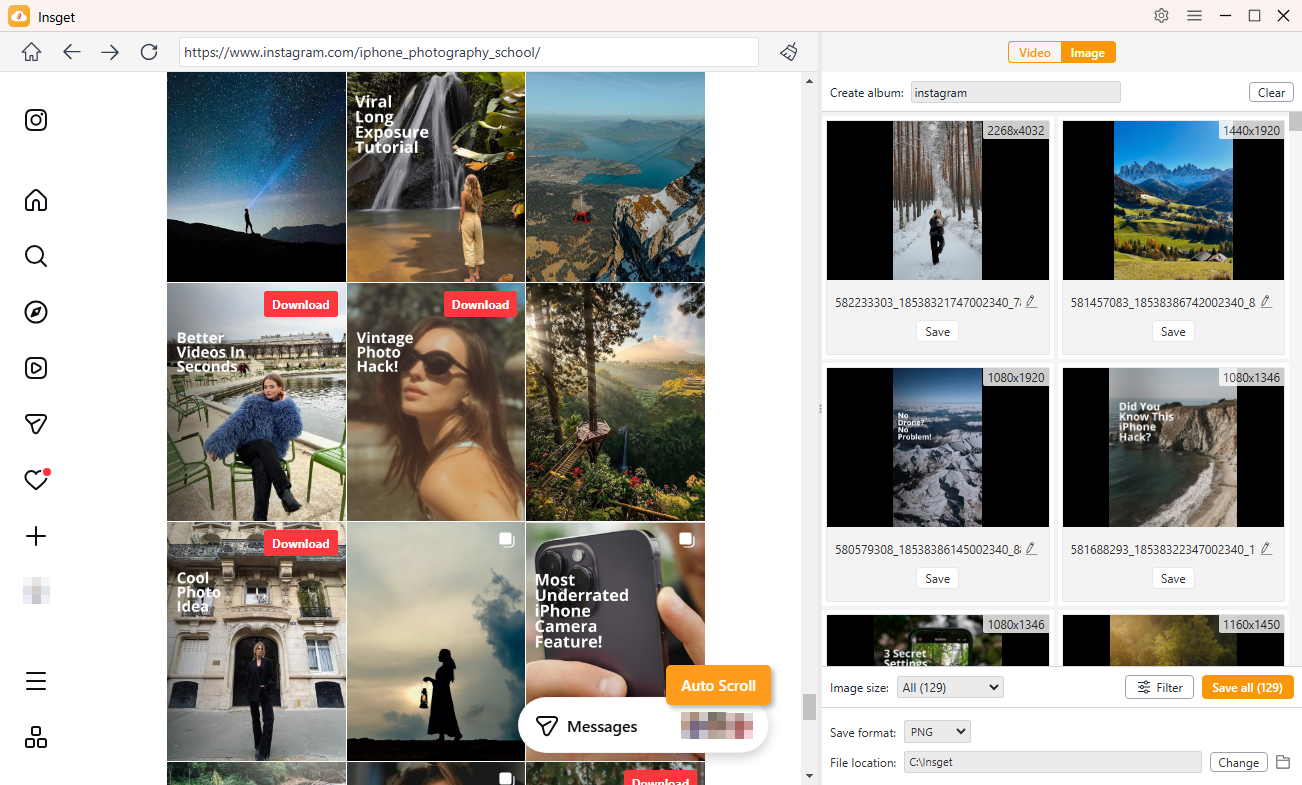
Bonus: To download videos, just locate a video and click the download button, then Insget will add it into you download list and start the download process.
5. Conclusion
There are many ways to download pictures from Instagram, but the best tool depends on how many images you need and how often you download them. Instagram’s official data export works well for personal backups, online downloaders are fine for quick saves, and browser extensions offer convenience for regular use.
However, if you’re serious about downloading Instagram pictures in bulk, preserving original quality, and saving time, Insget is the clear winner. Its powerful bulk download features, stable performance, and easy-to-use design make it the best choice for anyone who needs more than just one or two images.
Whether you’re a content creator, marketer, researcher, or everyday user, Insget provides a fast, reliable, and professional way to download Instagram pictures and videos efficiently.