How to Download Audio from TikTok?

TikTok has evolved far beyond a short-video platform—it is now one of the most influential sources of trending music, viral sounds, voiceovers, and audio clips worldwide. From catchy background music and comedy skits to educational narrations and motivational quotes, TikTok audio often becomes more valuable than the video itself. As a result, many users look to download TikTok audio for offline listening, creative remixing, content production, or inspiration archiving.
TikTok currently offers no native option to download audio on its own. While saving videos is possible, obtaining high-quality, watermark-free audio requires external solutions. This guide explores the most effective methods for downloading TikTok audio, concluding with the top recommended option.
1. Best Recommended: Download TikTok Audio Using Tikget
Tikget stands out as the most reliable and professional choice for downloading TikTok content, including videos, audio, and photos. Unlike basic tools that only handle single downloads or low-quality conversions, Tikget is designed specifically for TikTok content, supporting audio, video, and photo downloads with high quality and efficiency.
Key advantages of Tikget:
- Batch download TikTok audio, videos, and photos in one tool
- Easily download TikTok audio, videos, and photos in multiple formats, including MP3, M4A, MP4, MKV, JPG, and PNG.
- Download TikTok media in high quality without watermark
- Download photo posts and slideshows in full resolution
- No TikTok login required
- Clean, beginner-friendly interface
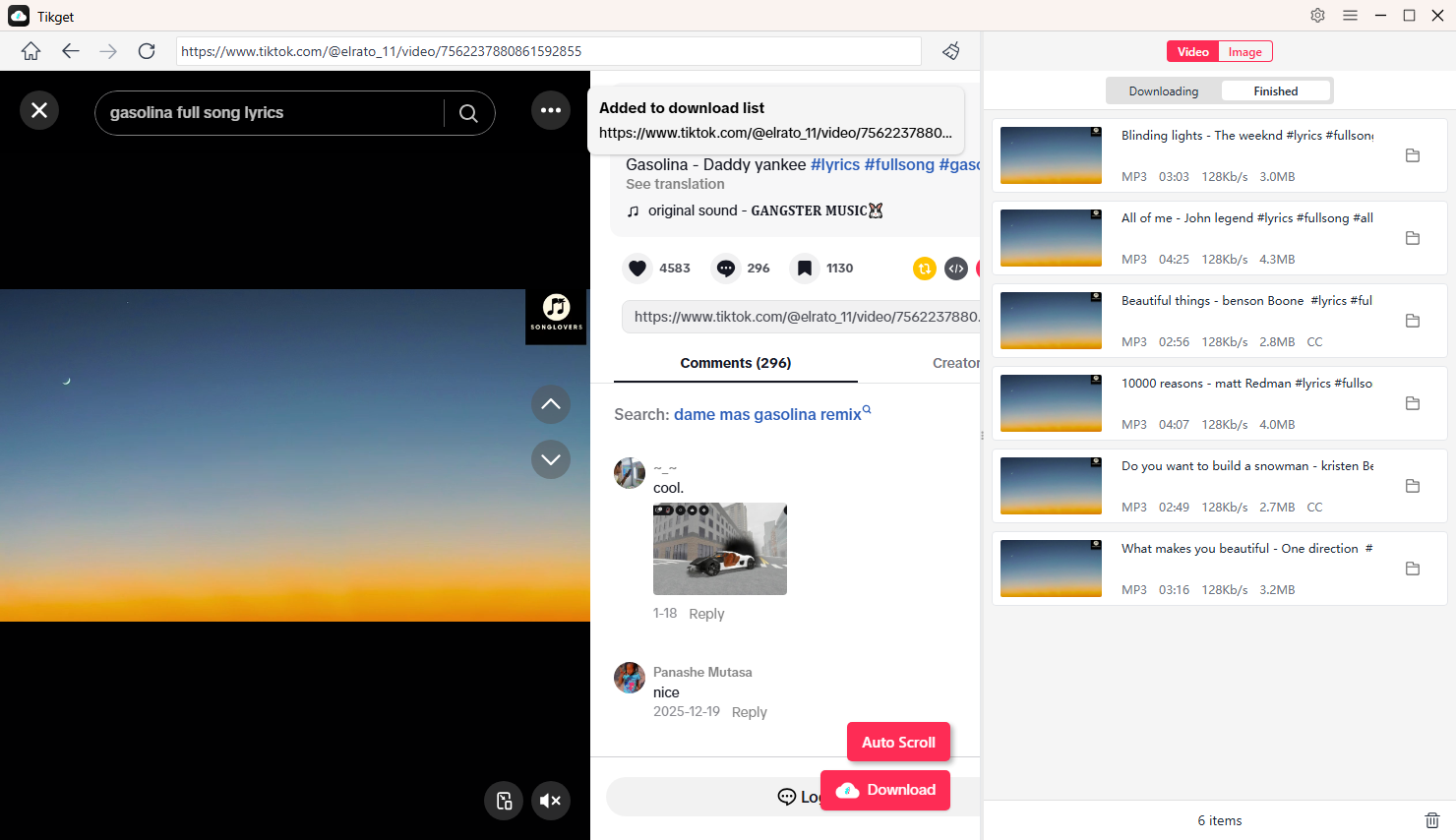
How to Download TikTok Audio with Tikget:
- Download, install and launch Tikget on your computer.
- Find the TikTok audio you want to download inside Tikget.
- Choose your preferred audio format (e.g. MP3) and quality (e.g. 320Kb/s).
- Click Download and add the audio to Tikget’s download list; Tikget will start downloading all the tasks, and you can find the downloaded files in the “Finished” tab.
2. Download TikTok Audio With Screen or Audio Recorders
Recording TikTok audio with a screen or audio recorder is another dependable method. This approach doesn’t rely on TikTok’s download availability and works even when other tools fail.
How It Works:
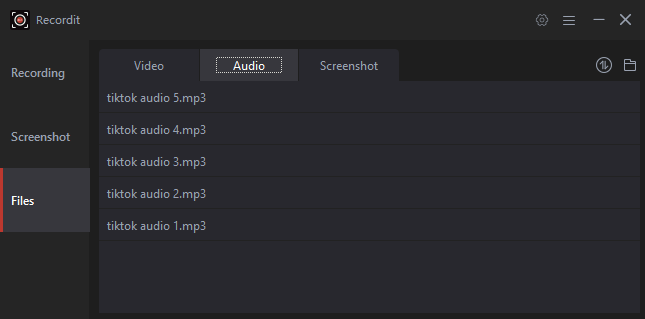
- Launch Swyshare Recordit or another screen or audio recording software on your computer.
- Enable the Audio Only mode, then play the TikTok audio to start recording.
- When the audio ends, stop recording and find the saved audio in the Files > Audio section.
Pros:
- Works with any TikTok audio
- No link or downloader required
- Useful when downloads are restricted
Cons:
- Real-time recording (not instant)
- Audio quality depends on playback
Recording is a good backup method, but it’s less efficient than direct downloading tools like Tikget.
3. Download TikTok Audio with Online Downloaders
Online TikTok audio downloaders are popular because they don’t require installation. These web-based tools allow you to extract audio from TikTok videos simply by pasting a copied link.
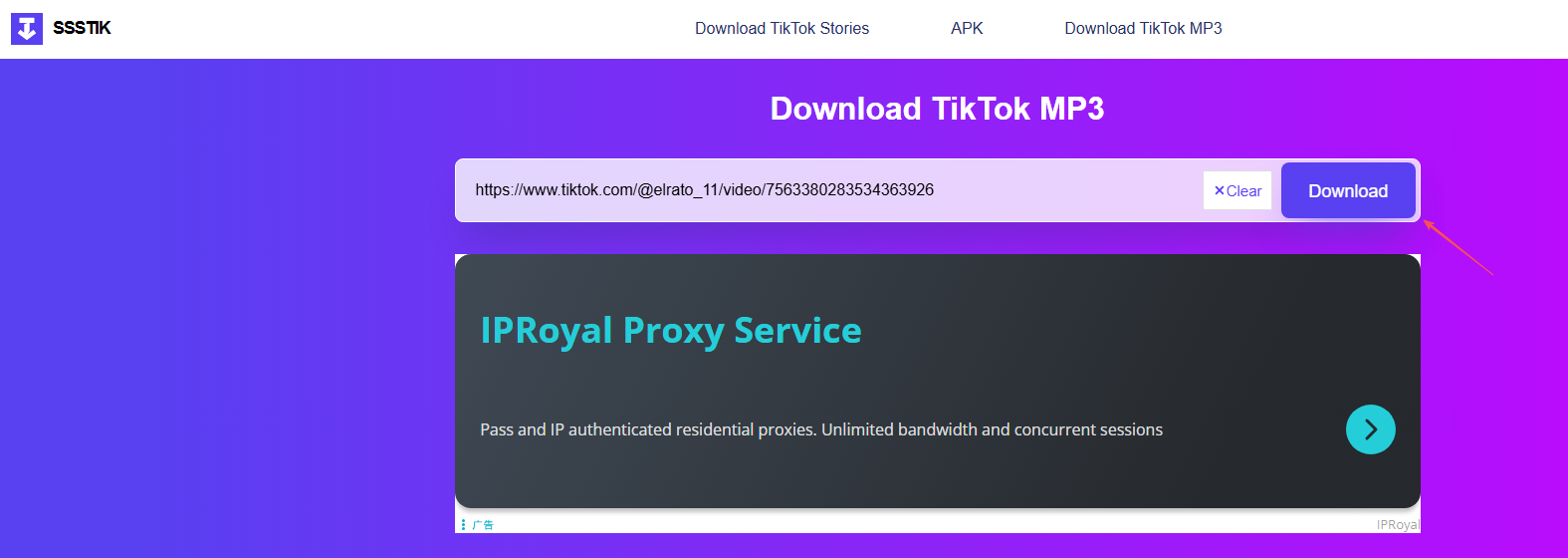
How to Use Online Downloaders:
- Copy the TikTok video URL, then paste it into an online TikTok audio downloader website like SSSTik.
- Extract and download the audio as MP3 with a single click.
Pros:
- No software installation
- Works on mobile and desktop browsers
- Quick for one-time downloads
Cons:
- Ads and pop-ups
- Limited audio quality options
- No batch downloading
- Some sites stop working after TikTok updates
Online tools are convenient for occasional use, but they lack the reliability and advanced features of Tikget.
4. Download TikTok Audio Using Browser Extensions
Browser extensions add download buttons directly to TikTok’s web interface, making the process seamless for desktop users.
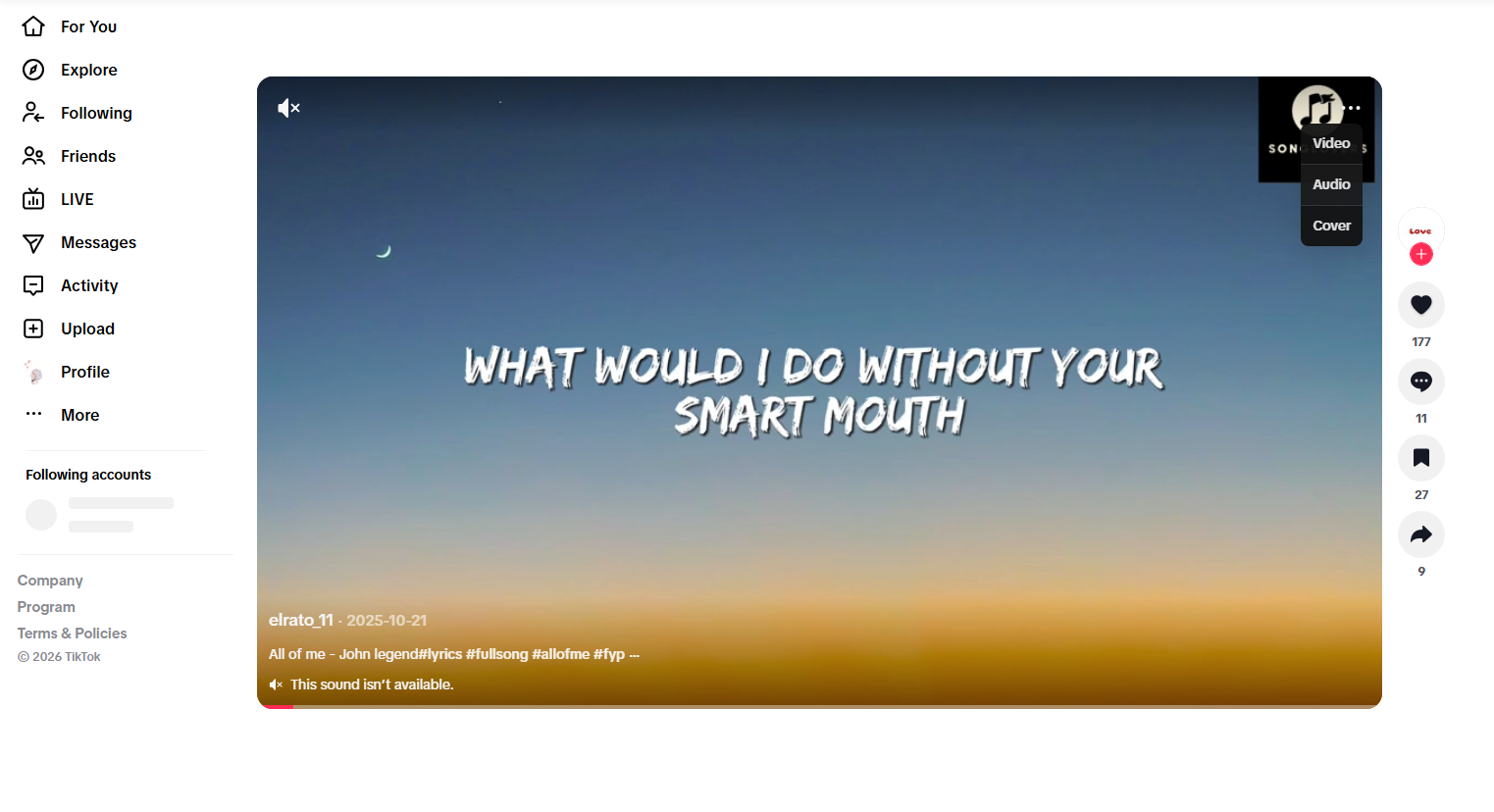
How It Works:
- Install a TikTok downloader extension that supports audio downloads.
- Visit TikTok in your browser, open a video, and click the download icon.
- Select Audio and save the file locally.
Pros:
- Integrated directly into TikTok
- No need to copy links
- Fast workflow for desktop users
Cons:
- Extensions may stop working after updates
- Limited format and quality options
5. Comparison of TikTok Audio Download Methods
| Method | Audio Quality | Batch Download | Stability | Ease of Use |
|---|---|---|---|---|
| Tikget | ⭐⭐⭐⭐⭐ | ✅ Yes | ⭐⭐⭐⭐⭐ | ⭐⭐⭐⭐⭐ |
| Screen Recorder | ⭐⭐⭐ | ❌ No | ⭐⭐⭐⭐ | ⭐⭐⭐ |
| Online Downloader | ⭐⭐⭐ | ❌ No | ⭐⭐ | ⭐⭐⭐⭐ |
| Browser Extension | ⭐⭐⭐ | ❌ No | ⭐⭐ | ⭐⭐⭐ |
6. Conclusion
Downloading TikTok audio is becoming essential for creators, editors, and everyday users who want offline access to viral sounds, music clips, and voiceovers. While screen recorders, online downloaders, and browser extensions can be used, they typically have drawbacks such as reduced quality, instability, or limited functionality.
For the best overall experience, Tikget is the top recommendation: It provides high-quality audio downloads, batch processing, multiple formats, and a smooth workflow tailored specifically for TikTok. From downloading one viral sound to creating a full audio library, Tikget delivers professional-quality results with ease.
If you’re serious about downloading TikTok audio efficiently and reliably, Tikget is the tool to trust. 🎵