How to Make Your Account Private on Twitter?

In the age of social media, privacy has become a major concern for millions of users worldwide. Platforms like Twitter, now known as X, allow people to share thoughts, photos, videos, and news in real time. While public accounts can help you gain followers and engage with a larger audience, not everyone wants their content accessible to the general public. Protecting your privacy on Twitter ensures that only approved followers can view your tweets, making it an essential step for those who value discretion, security, or want to manage their online presence more selectively. In this article, we will guide you on how to make your account private, explain the boundaries around seeing someone else’s private tweets, and introduce a tool to back up your Twitter content safely.
1. Key Benefits of Making Twitter Account Private
- Control over who can see your tweets.
- Restriction on retweets by non-followers.
- More selective follower approval.
- Reduced exposure to spam, trolls, or unwanted interactions.
2. How to Make Your Account Private on Twitter?
Making your Twitter account private is a straightforward process that can be completed in just a few steps, whether you are using a mobile device or a desktop computer. When your account is private, your tweets are visible only to people you approve as followers, and new followers require your explicit permission.
On Mobile (iOS or Android):
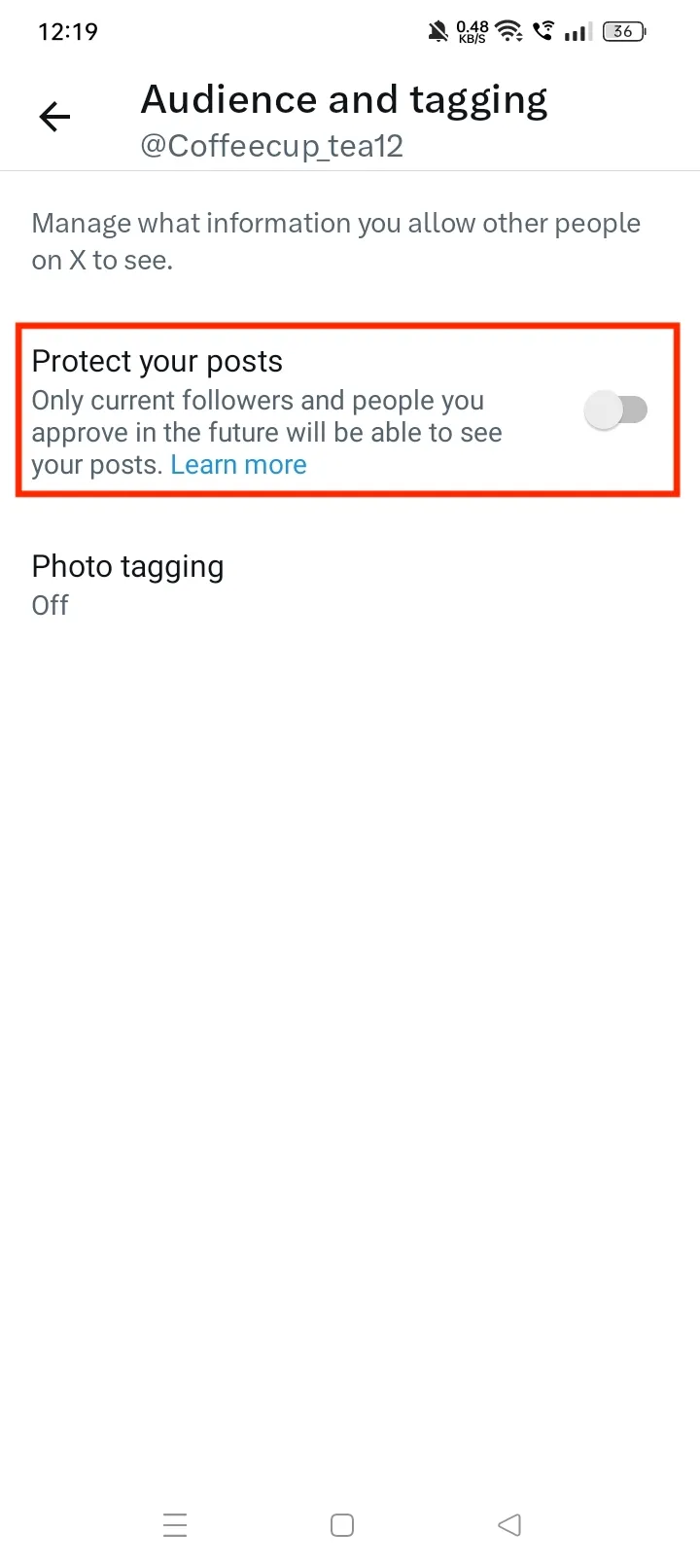
Open the Twitter app, log in, tap your profile picture, go to Settings and privacy → Privacy and safety → Audience and tagging, turn on Protect your Tweets, making your tweets visible only to approved followers.
On Desktop (Web):
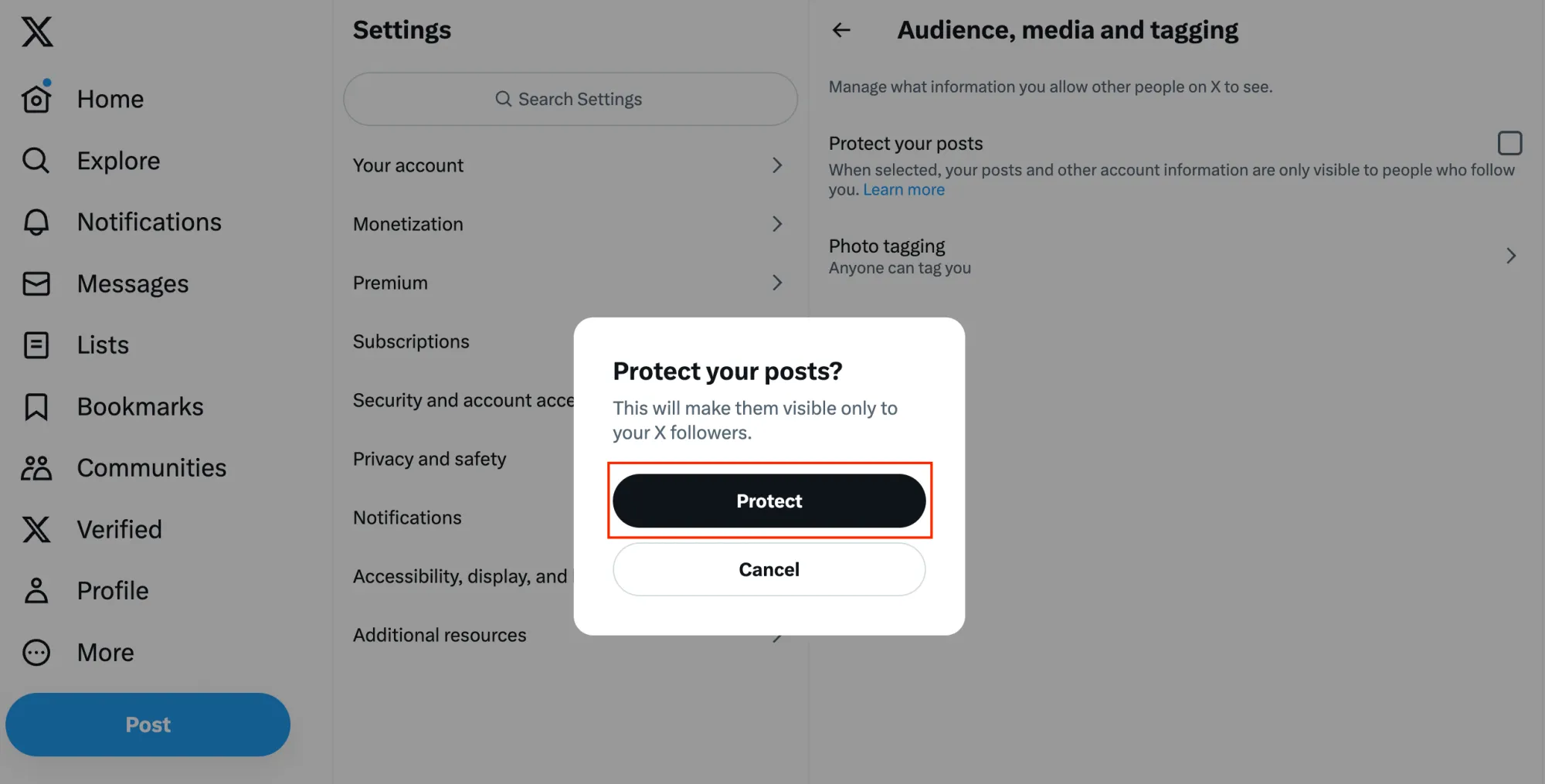
On Twitter.com, log in, go to More → Settings and privacy → Privacy and safety → Audience and tagging, check Protect your Tweets, and save your settings.
3. How to See Someone’s Private Twitter?
When a Twitter account is private, their tweets are visible only to approved followers. Twitter has strict rules regarding privacy, and there is no legitimate way to bypass this protection. Attempting to view private content without permission is a violation of Twitter’s policies and could have legal consequences.
If you want to see someone’s private tweets, the only safe and ethical methods are:
- Send a Follow Request: Click the Follow button and wait for the account owner to approve your request. Once approved, you can see their tweets like any other follower.
- Mutual Connections: Sometimes private users allow certain friends or colleagues to follow them. If you know someone who already follows them, they may share content with you offline (e.g., screenshots), but this is entirely up to them and should be respected.
- Alternative Public Sources: If a private user shares content elsewhere—like Instagram, TikTok, or public blogs—you might be able to view similar content without violating Twitter rules.
4. Backup Twitter Media (Videos and Images) with Xget
For users who have public or private accounts, backing up your content is often a top priority. Whether you post videos, images, or GIFs, having a reliable backup ensures you never lose your digital memories. Xget is a professional Twitter/X downloader that allows bulk downloading of videos and images from your account or public accounts you follow.
Features of Xget:
- Save multiple images or videos at once, reducing manual effort.
- Preserve the original resolution of images and videos.
- Download media safely after logging into your account.
- Export videos and images in original or popular MP4/MP3/PNG format.
- Works on Windows and macOS.
How to use Xget to back up twitter videos and images:
- Go to the official Xget website and install it on your computer.
- Open Xget and log in using your Twitter/X account credentials.
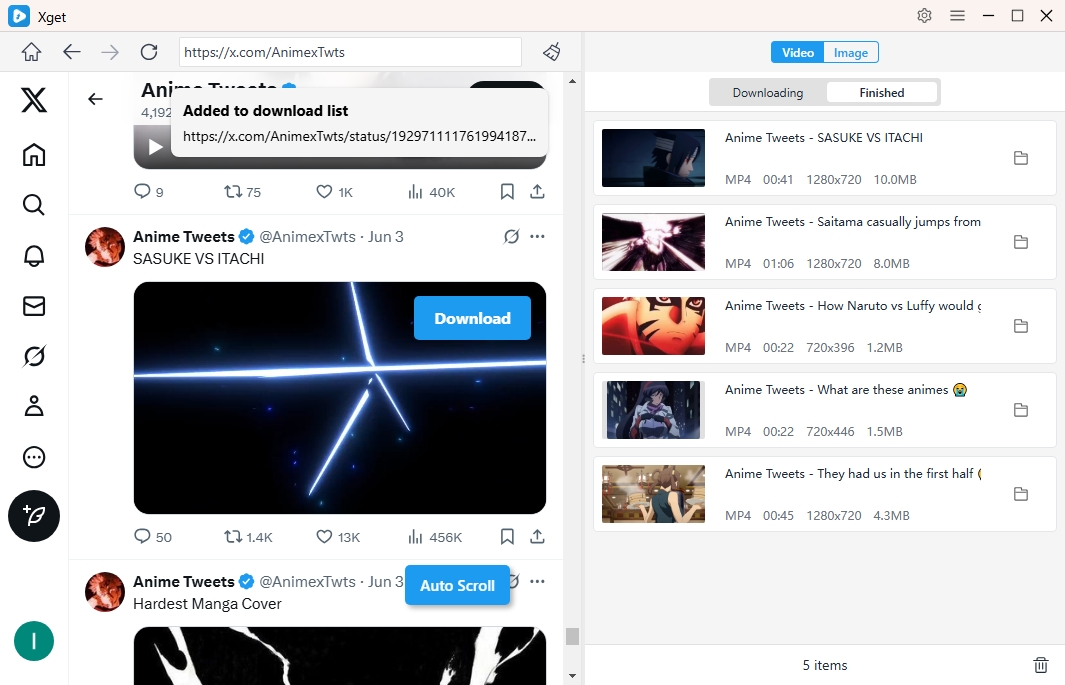
- To download twitter videos, locate and play a video, select the download format/resolution/file location, then click the download button and Xget will download it within a few seconds.
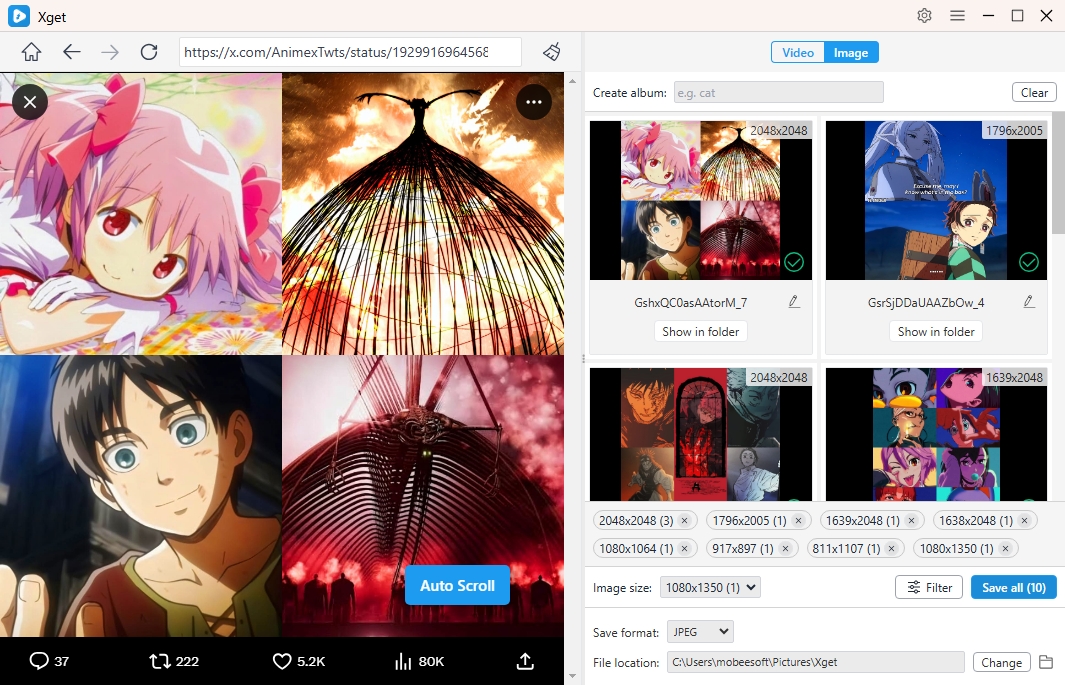
- To download images, scroll the page to let Xget detect available images, then you can filter them and download all chosen images in one-click.
5. Conclusion
In today’s social media landscape, protecting your privacy on Twitter/X is essential for controlling who can see your content and avoiding unwanted interactions. Making your account private is simple, and tools like Xget make it easy to safely back up your videos and images in bulk. By combining privacy settings with reliable backup solutions, you can enjoy Twitter/X securely while preserving your digital content.