How to Resolve “Your Account Has Been Temporarily Locked” on Facebook?

Facebook allows users to connect with friends, share photos and videos, and keep up with important updates. However, seeing the message “Your Account Has Been Temporarily Locked” when trying to log in can be frustrating, especially if you rely on Facebook to communicate with others or store precious memories.
In this article, we’ll explain the common reasons for a temporary Facebook lock, introduce effective ways to resolve the problem, and show you how to back up and download your Facebook media to protect your valuable photos and videos.
1. Why Is My Facebook Account Temporarily Locked?
Facebook may temporarily lock an account for several reasons, including:
- Unusual logins: Signing in from an unfamiliar device or location may trigger security checks.
- Possible hacking: Suspicious activity may indicate unauthorized account access.
- Failed login attempts: Too many incorrect passwords may trigger a temporary lock.
- Spam-like activity: Excessive posting or messaging may violate Facebook’s rules.
- Third-party tools: Unauthorized apps may trigger security alerts.
- Identity verification: Facebook may require proof of account ownership.
A temporary lock does not necessarily mean you’ve violated Facebook’s rules. Sometimes, legitimate activity can trigger automated security checks.
2. How to Resolve “Your Account Has Been Temporarily Locked” on Facebook?
Try the following solutions to unlock your Facebook account, depending on the cause of the restriction.
Method 1: Follow Facebook’s On-Screen Instructions
The easiest solution is to complete the security checks Facebook provides when you try to log in.
Steps:
- Open Facebook and enter your login credentials.
- Read the temporary lock notification.
- Click Get Started, Continue, or the corresponding option displayed, then complete the prompts to confirm your identity and check for any unusual account activity.
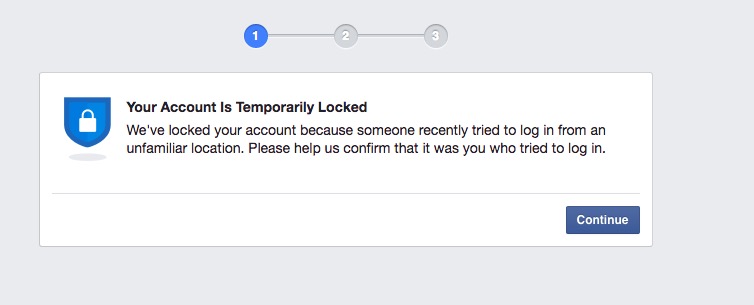
Once you’ve completed the required checks, try logging in again. If Facebook asks you to wait, follow its instructions.
Method 2: Reset Your Facebook Password
If Facebook detects suspicious login activity or you suspect your account has been compromised, resetting your password may help secure it.
Steps:
- Go to Facebook’s login page, select Forgot password?, then type in your registered email address or mobile number.
- Choose an available method to receive a verification code or reset link.
- Follow the instructions to create a new password.
- Try logging in again.
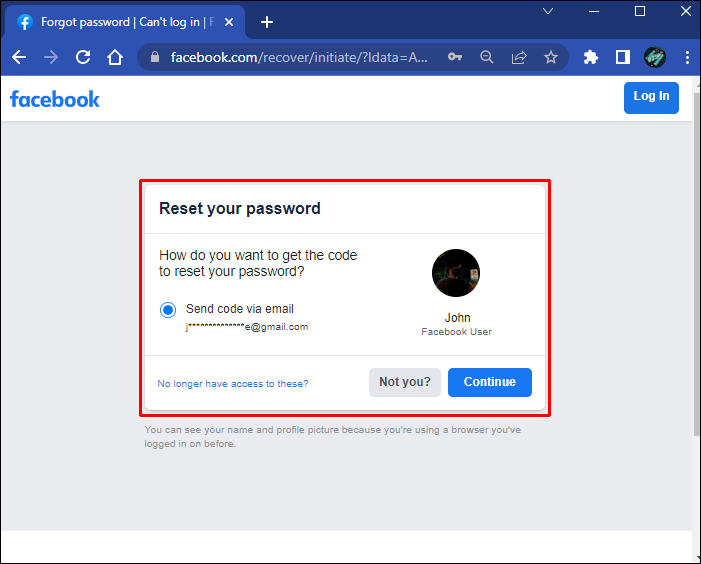
Use a strong, unique password. If you regain access, review your security settings and remove unfamiliar login sessions where possible.
Method 3: Verify Your Identity
Facebook may require you to confirm your contact details or submit an ID to verify your identity before unlocking your account.
Steps:
- Attempt to log in to Facebook.
- Check whether an identity verification option appears.
- Follow the on-screen instructions to confirm your identity.
- Submit any requested information through Facebook’s official verification process, then wait for the review to finish.
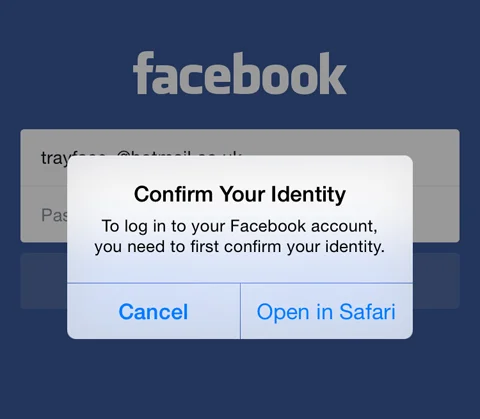
Make sure your information is accurate, and only submit sensitive documents through official Facebook pages or in-app verification flows.
Method 4: Use Facebook’s Account Recovery Page
If you cannot access your account through the usual login process, Facebook’s account recovery page may help you find your account and explore other recovery options.
Steps:
- Visit Facebook’s Find Your Account page.
- Enter your email address, phone number, or name.
- Select your account from the results.
- Follow the available instructions to verify your identity or reset your password.
- Complete the process and try logging in again.
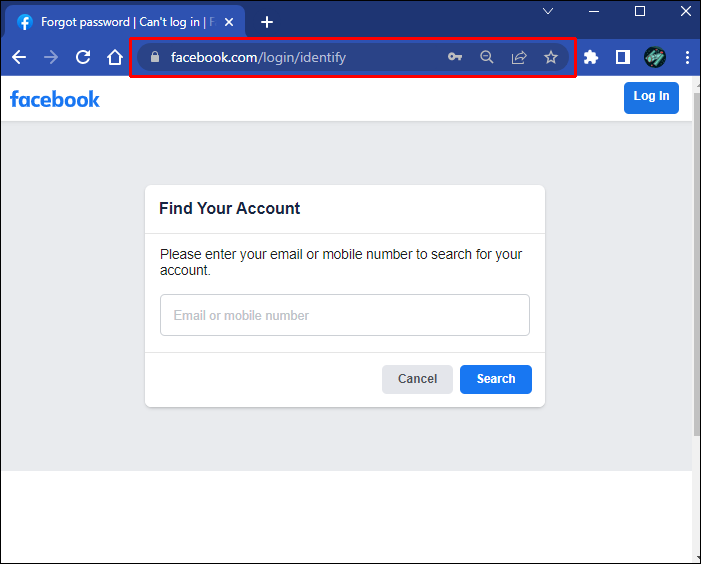
If you no longer have access to your registered email address or phone number, check whether Facebook offers alternative verification methods.
Method 5: Check Your Email and Wait for Facebook’s Review
Some account locks require additional review, meaning access may not be restored immediately. Facebook may send an email explaining the restriction or providing further instructions.
Steps:
- Check the inbox linked to your Facebook account, including its spam and junk folders.
- Look for legitimate security notifications from Facebook.
- Follow any appeal or verification instructions provided.
- Wait for the stated review period before trying again.
Avoid services that promise instant account recovery in exchange for payment or your password. Always use Facebook’s official recovery channels.
3. Bonus: Back Up and Download All Your Facebook Media with Faceget
After recovering your Facebook account, consider backing up your photos and videos. Your account may contain years of family pictures, travel memories, personal videos, and other valuable content. Saving copies on your computer helps preserve these files independently of your continued access to Facebook.
Faceget is a professional media-downloading tool worth considering for saving supported Facebook content. It can be part of your media backup workflow, helping you keep local copies of important photos and videos for easier access and organization.
How to Back up/Download Facebook Media with Faceget:
Step 1: Get Faceget for your Windows or macOS computer and complete the installation.
Step 2: Open Faceget and sign in to your Facebook account through its built-in browser. Once logged in, you can browse Facebook and access available videos, photos, albums, and other media.
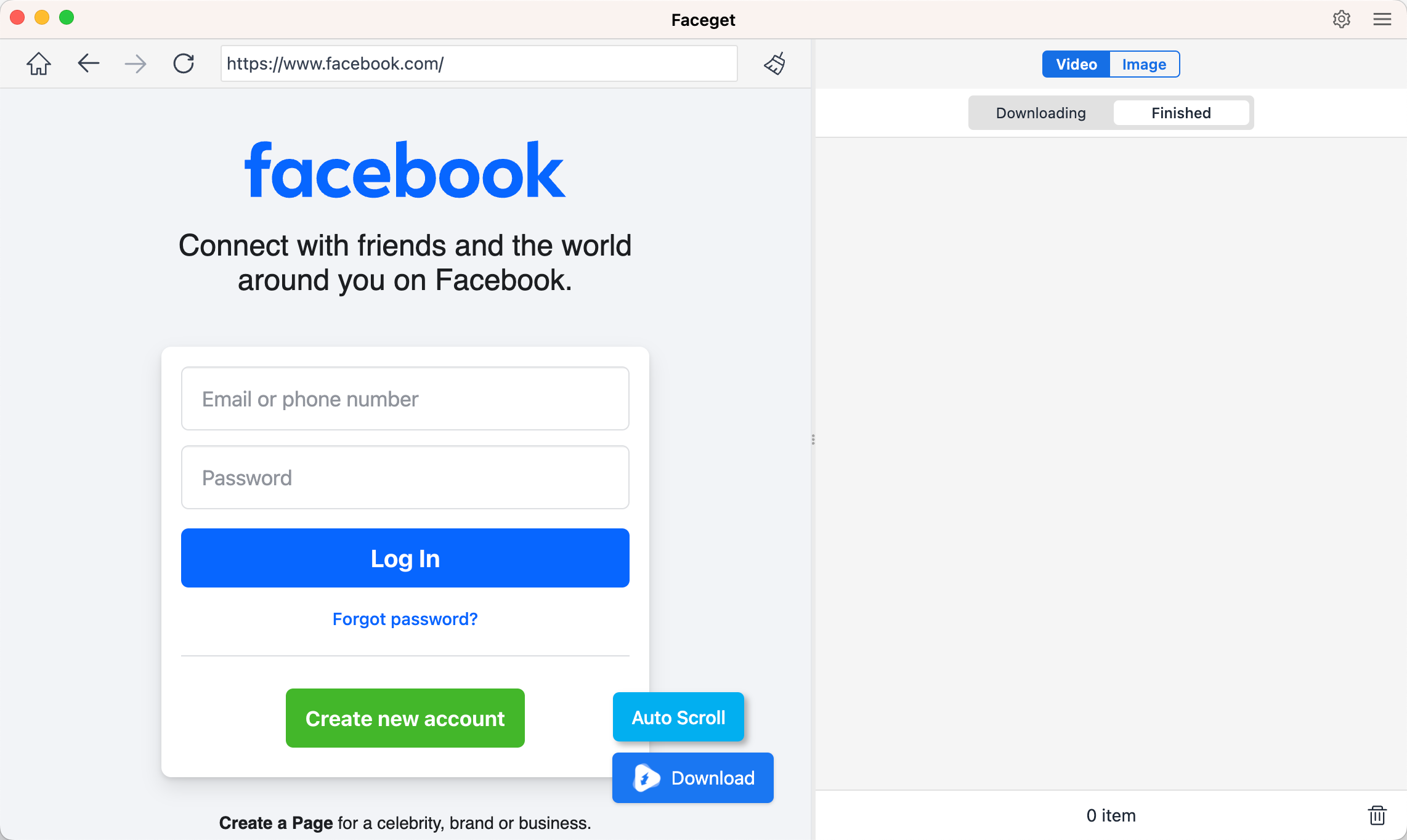
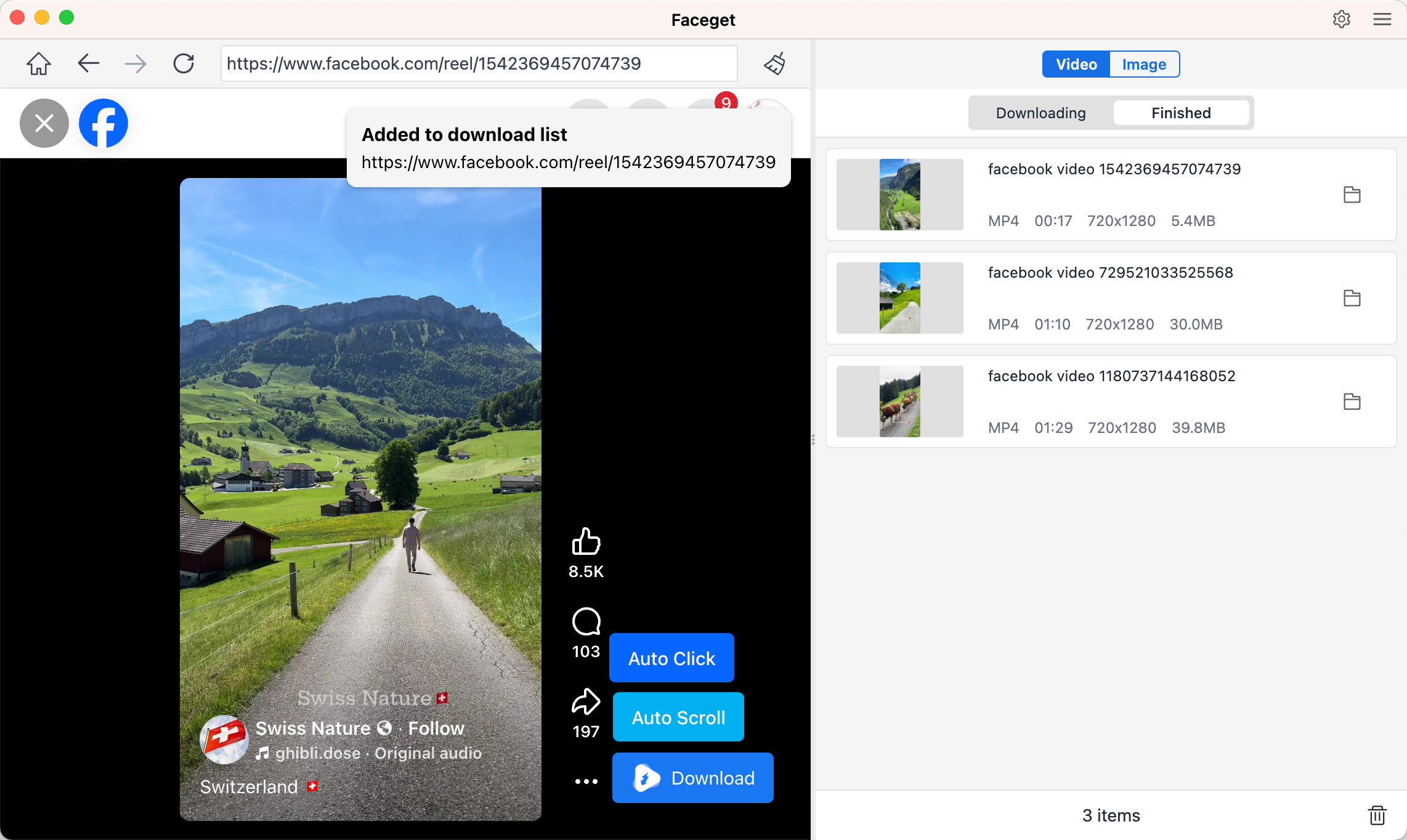
Step 3: Find the Facebook video you want to keep and play it. Faceget will automatically detect the video and provide available download options; Set video format and quality, then click Download to save it to your computer.
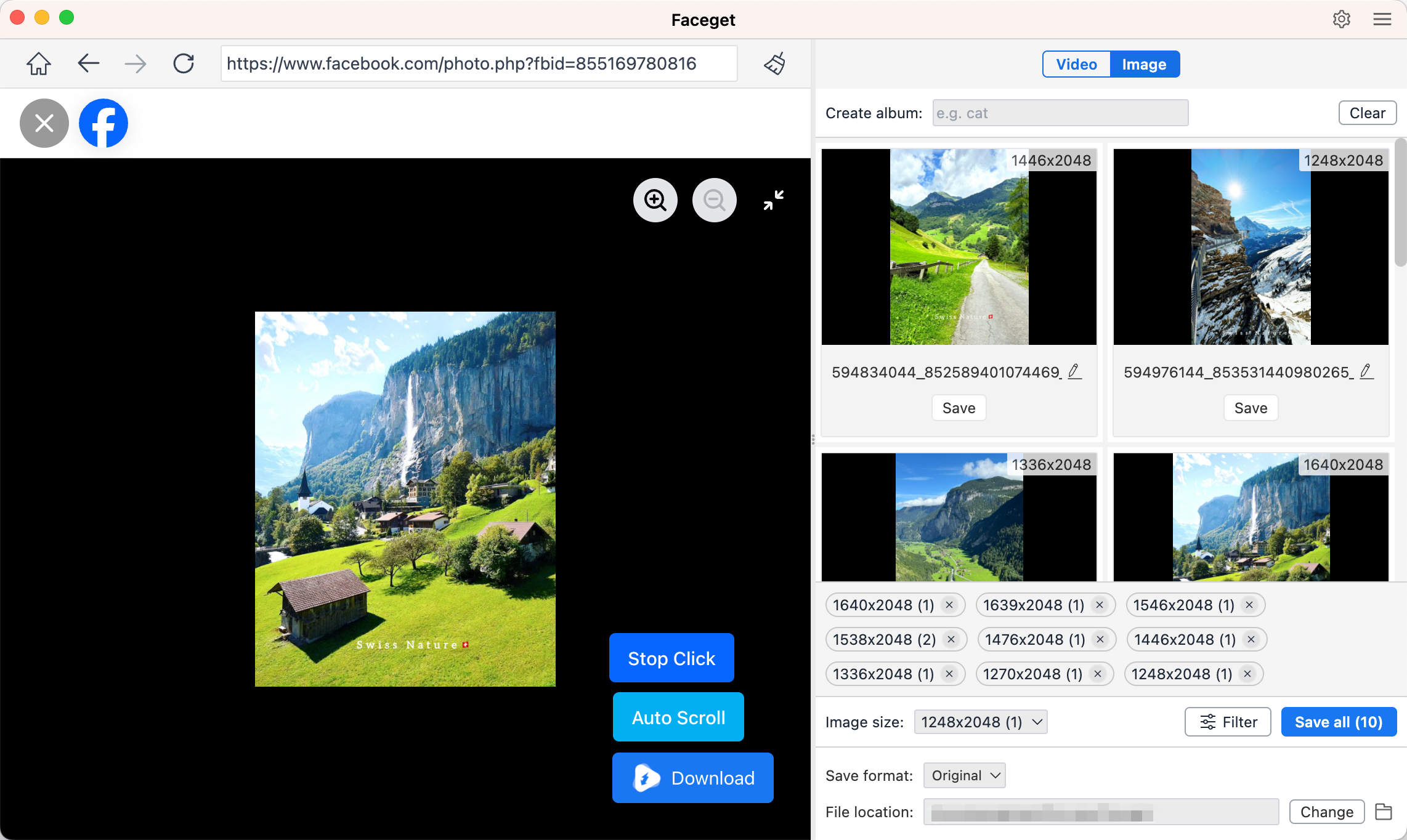
Step 4: To save photos, navigate to the Facebook page containing the images, then scroll to scan the page and collect available photos for you to review. Select the pictures you want to keep and download them in one batch.
4. Conclusion
Facebook may temporarily lock your account due to suspicious activity, repeated login attempts, or security concerns. To regain access, follow Facebook’s instructions, reset your password, verify your identity, or use the account recovery page.
After restoring access, take steps to protect your valuable media. Faceget is worth considering for backing up and downloading supported Facebook photos and videos, helping you preserve important memories as local files. Combined with Facebook’s built-in data export feature, Faceget can help you maintain a more reliable backup of your media rather than depending entirely on your online account.