Fansly Downloader NG: An In-Depth Overview

Fansly has become one of the leading creator subscription platforms, allowing creators to share exclusive photos, videos, live streams, and messages with their subscribers. While Fansly offers online access to purchased content, many users prefer downloading media for offline viewing, backup purposes, or organizing their purchased content into a personal library.
This is where Fansly Downloader NG comes in. As an open-source project, it enables users to download media from Fansly accounts they have permission to access. Unlike browser extensions that typically save one file at a time, Fansly Downloader NG is designed for bulk downloading and offers a variety of configuration options for advanced users.
In this article, we’ll take a closer look at Fansly Downloader NG, explain how it works, discuss its advantages and drawbacks, as well as introduce a more user-friendly alternative for downloading Fansly content in bulk.
1. What Is Fansly Downloader NG?
Fansly Downloader NG is a free, open-source downloader developed for downloading media from Fansly. It is a continuation of earlier Fansly downloading projects and is actively maintained through GitHub releases.
The application works by accessing the Fansly API through your own authenticated account. Instead of bypassing account permissions, it downloads only the content that your account is already authorized to view, including subscribed, purchased, or publicly available content. It requires users to provide authentication information such as an authorization token and browser user agent before downloads can begin.
Some of its notable capabilities include:
- Bulk downloading photos and videos.
- Downloading timeline posts.
- Downloading media from messages.
- Downloading purchased media collections.
- Downloading individual posts by ID.
- Content de-duplication to avoid downloading duplicate files.
- Support for Windows executables as well as Python source code that runs on Windows, macOS, and Linux.
Since the project is open source, experienced users can inspect the code, modify it, or contribute improvements.
2. How to Use Fansly Downloader NG?
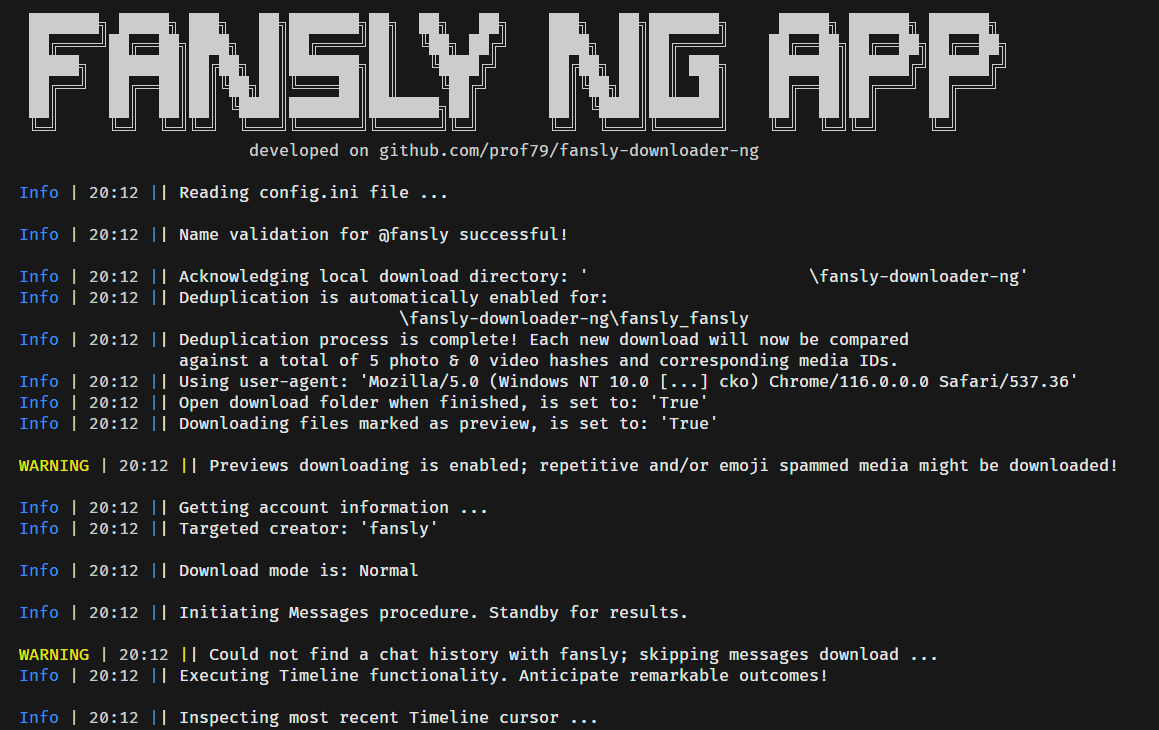
Although Fansly Downloader NG is powerful, its initial setup is more technical than many commercial downloaders.
Step 1: Download the program
Visit the project’s GitHub Releases page and download the latest executable for Windows or the source code if you plan to run it with Python.
Step 2: Log into your Fansly account
Open Fansly in your preferred web browser and sign in with the account that has access to the content you want to download.
Step 3: Obtain your authentication information
During the first setup, Fansly Downloader NG requires authentication credentials from your browser. According to the project’s documentation, you can retrieve these through your browser’s Developer Tools by copying your authorization token and user agent, or by using the interactive setup process available in newer versions.
Step 4: Configure the settings
Open the config.ini file and enter the required information, including:
- Authorization token
- Browser user agent
- Creator username
You can also customize optional settings such as download mode, output folders, and other preferences. Supported download modes include Timeline, Messages, Single Post, Collection, or a combination of timeline and messages.
Step 5: Run the downloader
After saving the configuration, launch Fansly Downloader NG, it will connect to your account and begin downloading media from the specified creator.
Depending on the creator’s library size, the process may take anywhere from a few minutes to several hours.
3. Pros and Cons of Using Fansly Downloader NG
Like most open-source tools, Fansly Downloader NG offers impressive functionality but also comes with a learning curve.
Pros:
- Completely free and open source.
- Supports bulk downloading instead of saving files individually.
- Downloads photos, videos, messages, collections, and individual posts.
- Available for multiple operating systems through Python.
- Includes duplicate detection to avoid redundant downloads.
- Frequently updated to adapt to platform changes.
Cons:
- Initial setup is relatively complicated for beginners.
- Requires manually obtaining authentication tokens.
- Uses configuration files instead of a modern graphical interface.
- Platform updates can temporarily break functionality until new releases are available.
- Some releases include warnings that changing platform security may cause download failures or even account-related risks, so users should exercise caution and follow the project’s documentation carefully.
Overall, Fansly Downloader NG is best suited for users who are comfortable editing configuration files and working with technical software.
4. Try the Ultimate Bulk Fansly Downloader — Fansget Instead
If you want a simpler and more streamlined experience, Fansget is an excellent alternative to Fansly Downloader NG.
Rather than requiring configuration files, authentication tokens, or manual setup, Fansget focuses on ease of use while still providing powerful bulk downloading capabilities.
Advantages of Fansget include:
- Download multiple Fansly videos and images in batches.
- Built-in browser to access subscribed Fansly media.
- Download media in original quality whenever available.
- Filter and choose desired photos by size and type.
- Save media in popular MP4/PNG/Original formats.
- Compatible with both Windows and macOS.
Using Fansget is straightforward:
- Begin by downloading and installing Fansget on your Windows or macOS computer, then launch the application.
- Log in to your Fansly account through Fansget’s integrated browser and navigate to the creator profile you want to save content from.
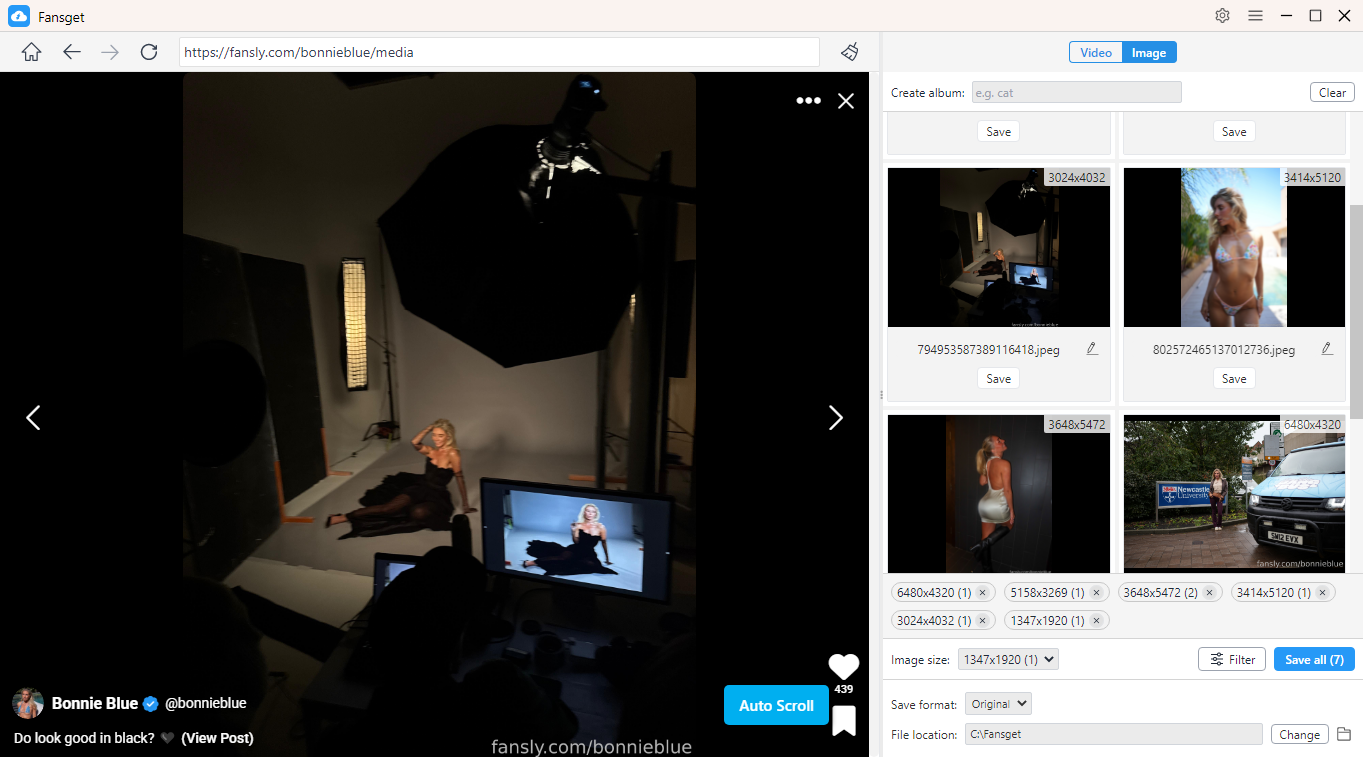
- To download videos, open the Videos section, play any video, and click Download. Fansget will automatically detect the available videos and add them to the batch download queue.

- To save photos, allow Fansget to scan the page. Once the images are detected, select the ones you want and download them all at once from the built-in download panel.
5. Conclusion
Fansly Downloader NG is a capable open-source tool for downloading Fansly content in bulk, offering features such as timeline, message, and collection downloads. However, its technical setup and reliance on manual configuration may not be ideal for everyone.
If you prefer a simpler and more efficient solution, Fansget is a great alternative. With its intuitive interface, built-in login, and one-click bulk downloading, Fansget makes it easy to save Fansly photos and videos while delivering a smoother overall experience.