How to Download Instagram Videos & Photos with Publer Downloader?

Instagram is one of the most popular social media platforms for sharing photos, videos, Reels, Stories, and other visual content. Whether you’re saving inspirational images, collecting marketing materials, archiving your own content, or keeping favorite videos for offline viewing, downloading Instagram media can be incredibly useful.
While Instagram allows users to save posts within the app, it doesn’t provide a built-in option to download most content directly to your device. This limitation has led to the popularity of third-party Instagram downloaders. Among them, Publer Downloader has emerged as a convenient online tool that helps users download Instagram videos and photos quickly without installing additional software.
In this guide, we’ll explore what Publer Downloader is, whether it’s safe to use, how to download Instagram videos and photos with it, as well as compare its advantages and disadvantages.
1. What Is Publer Downloader?
Publer Photo & Video Downloader is a browser-based tool that makes it easy to save publicly available Instagram photos, videos, and Reels directly to your device. Users simply paste an Instagram link into the downloader, and the tool retrieves the media for download.
Publer Downloader supports downloading various types of Instagram content, including:
- Instagram photos
- Instagram videos
- Instagram Reels
- Carousel posts (multiple images/videos)
- Public Instagram content
Since it’s web-based, Publer Downloader works across different operating systems, including Windows, macOS, Linux, Android, and iOS.
2. Is Publer Downloader Safe?
In general, Publer Downloader is considered safe to use for downloading publicly available Instagram photos and videos. Since it is a web-based tool, there is no software installation required, which reduces the risk of malware or unwanted programs. However, users should still exercise caution when using any third-party downloader and avoid entering sensitive account credentials unless absolutely necessary.
3. How to Download Instagram Videos & Photos Using Publer Downloader
Downloading Instagram content using Publer Downloader is a simple process that requires only a few steps:
- Visit Instagram, find and copy the link of the post that contains the videos or photos you want to download.
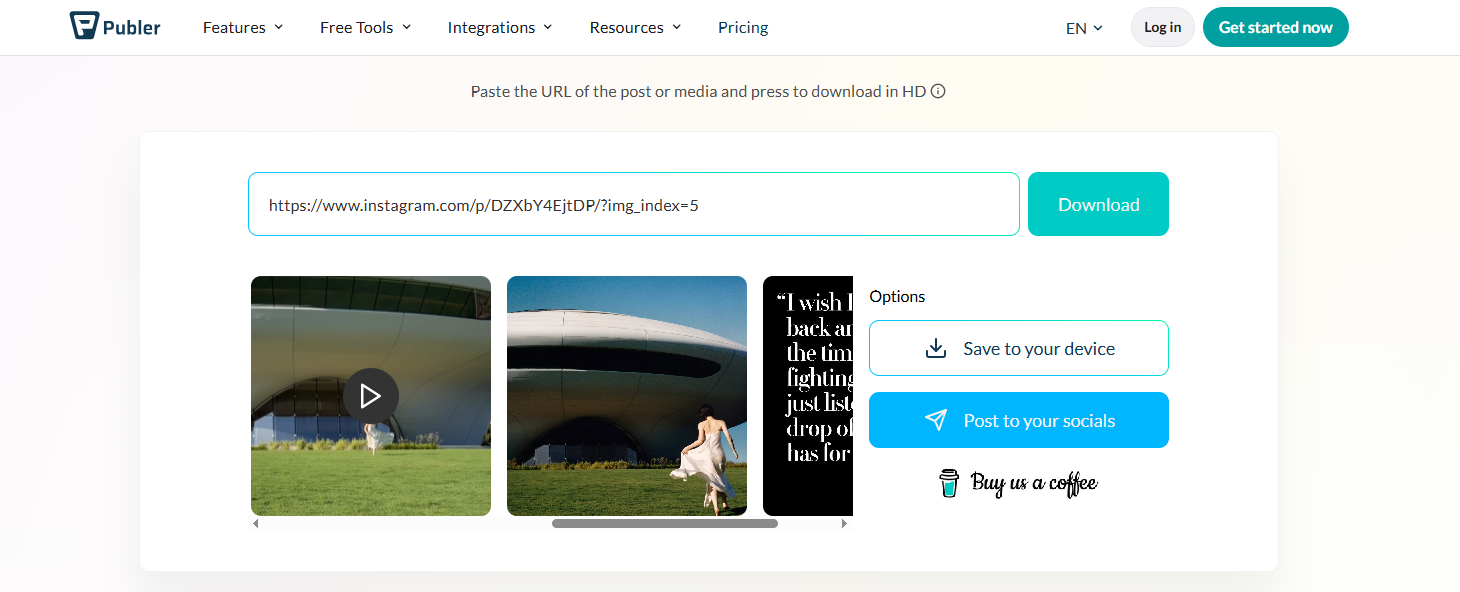
- Open the Publer Downloader photo & video downloader page and simply paste the copied Instagram link into the designated field.
- Click the download button and wait for Publer Downloader to analyze the Instagram post.
- Once the media is detected, Publer Downloader will display the available photos or videos. Click the Download button to save the content to your device.
3. Pros and Cons of Publer Downloader
Like any Instagram downloader, Publer Downloader has strengths and weaknesses.
Pros:
- Free to Use: Users can download Instagram photos and videos without paying subscription fees.
- No Installation Required: Everything works directly from a web browser.
- Easy to Use: The interface is beginner-friendly and requires only a copied Instagram URL.
- Cross-Platform Compatibility: Works on desktop and mobile devices regardless of operating system.
- Supports Multiple Content Types: Users can download photos, videos, Reels, and carousel posts.
Cons:
- No Bulk Download Feature: Users must download each Instagram post individually, which can become time-consuming.
- Limited to Public Content: Private Instagram accounts are generally unsupported.
- Manual Workflow: Copying and pasting URLs repeatedly is inefficient for large collections.
- No Profile Downloading: The tool cannot download entire Instagram profiles or large batches of content.
- Limited File Management: There are no advanced organizational tools for sorting downloaded content.
For casual users who only need occasional downloads, Publer Downloader works well. However, users who frequently save Instagram content may find its limitations restrictive.
4. Try the Ultimate Instagram Media Downloader – Insget
If you regularly download Instagram photos and videos, or need to save content from entire profiles, Insget offers a far more powerful solution.
Insget is a dedicated Instagram video and photo downloader designed specifically for large-scale Instagram media collection. Unlike browser-based tools that handle one URL at a time, Insget provides advanced bulk downloading features that significantly improve efficiency.
Key features of Insget:
- Bulk download Instagram photos and videos with one click.
- Keep every image and video in its highest available quality.
- Export content in MP4, PNG, or native source formats.
- Browse and download content directly using the integrated browser.
- Quickly locate desired photos using advanced size and type filters.
How to use Insget to download Instagram videos and photos:
- Download, install, and launch Insget on your Windows or Mac computer.
- Sign in to Instagram through Insget using your Instagram account to access the content you want to download.
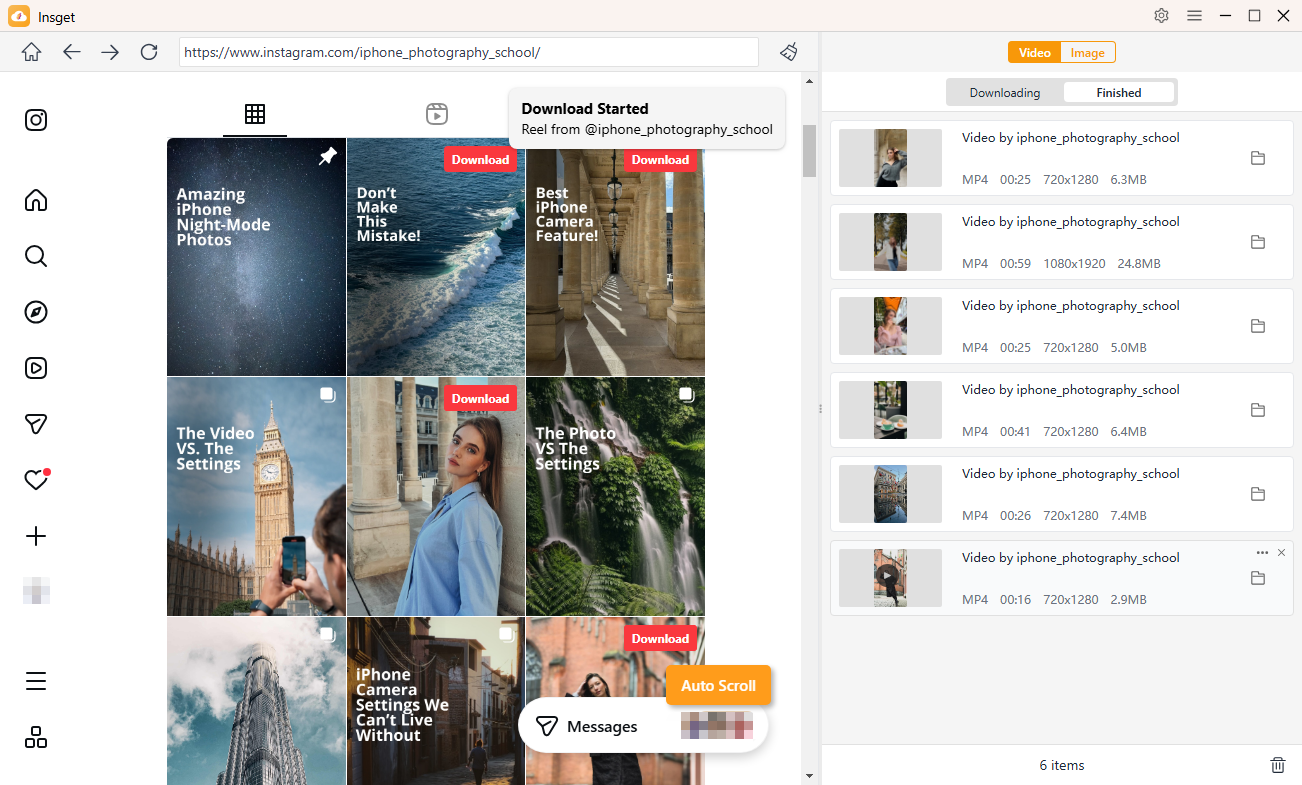
- To download Instagram videos, browse to the video and play it. Click the Download button, and Insget will automatically add the video to the download queue and begin downloading.
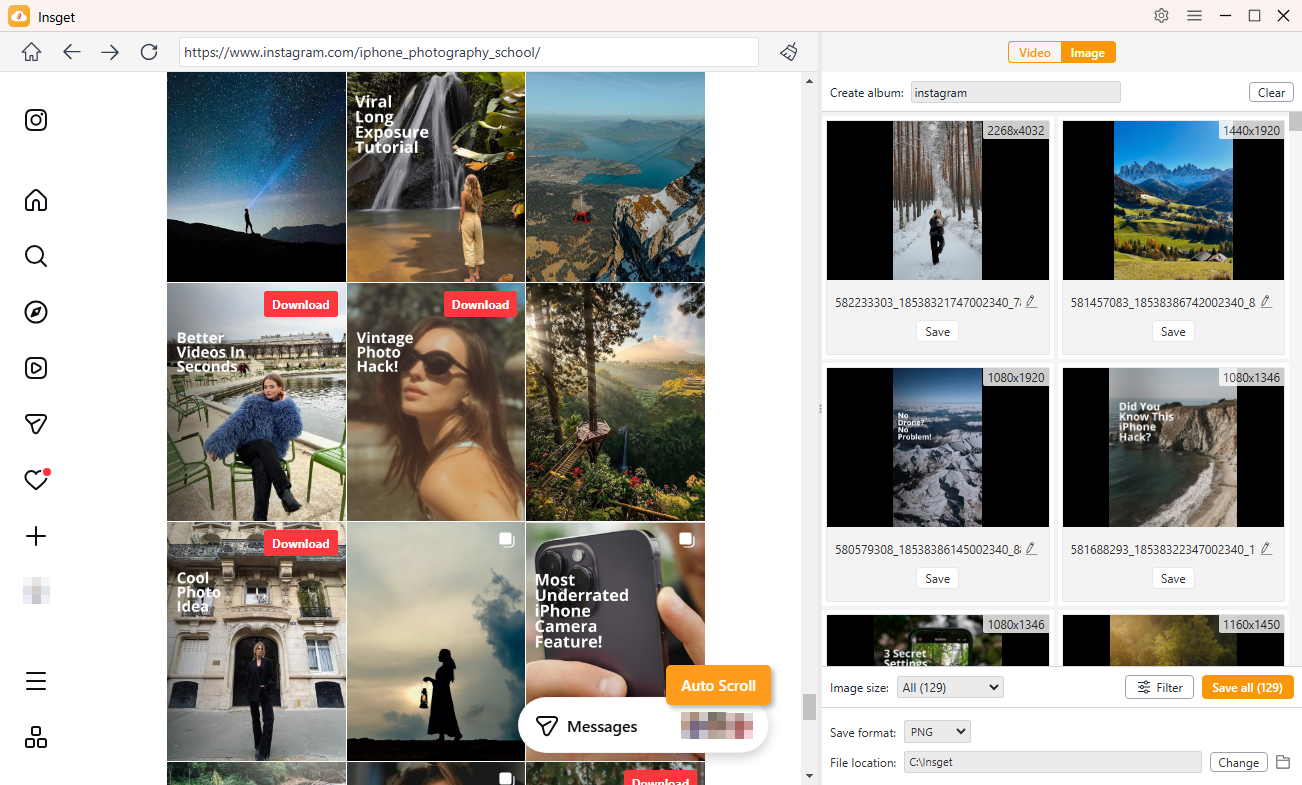
- To download Instagram photos, scroll through the content, Insget will automatically detect and extract the original images. You can then use the built-in filters to select the photos you want and download them all with a single click.
5. Conclusion
Publer Downloader is a convenient and user-friendly online tool for downloading Instagram photos, videos, Reels, and carousel posts. Its browser-based design, free access, and simple workflow make it an attractive option for occasional downloads.
However, the lack of bulk downloading, profile support, and advanced file management features can limit its usefulness for users who frequently save Instagram content.
If you only need to download a few individual Instagram posts, Publer Downloader is a solid choice. But for users who want faster downloads, better organization, high-quality media preservation, and the ability to download entire Instagram profiles or large collections at once, Insget stands out as the superior solution. Its powerful bulk downloading capabilities and streamlined workflow make it one of the best tools available for serious Instagram media downloading.