How to Know If Someone Blocked You on Instagram?

Instagram doesn’t alert you when someone blocks you, so a vanished profile can be hard to explain—it could be a block, but they may also have renamed, deactivated, or deleted their account or changed its privacy settings.
Fortunately, several simple checks can help you figure out what happened. In this guide, we’ll show you how to spot signs of a block, check an inaccessible profile, and safely back up photos and videos you’re authorized to save.

1. Discover the Signs You’ve Been Blocked on Instagram
Instagram doesn’t provide a specific feature for confirming whether someone has blocked you. Instead, you’ll need to check for a combination of signs that can help determine whether you’ve been blocked.
1.1 Search for Their Username
Search the exact username on Instagram. A missing profile could mean you’ve been blocked, but the account may also have been deleted, deactivated, or renamed. If the username is correct, try the checks below.
1.2 Check Your Previous Messages
If you’ve messaged them before, check your existing DM. The chat may remain after a block, but profile details or interactions can change. This alone doesn’t confirm a block.
1.3 Open The Profile From an Old Comment or Tag
If you’ve interacted before through comments, tags, or DMs, tap their username to open the profile. If the profile looks empty or unavailable, you may have been blocked, but check for other signs before deciding.
1.4 Check Their Profile While Logged Out
Search for the profile while logged out or using an incognito browser window. If it appears there but not from your account, you may have been blocked, though account or privacy changes can cause the same result.
1.5 Compare With Another Account
Search the username from a different account. If it appears there but not yours, you may have been blocked. Respect their choice and avoid contacting them through alternate accounts.
1.6 Check Whether Their Content Has Disappeared
If someone’s posts or Reels suddenly disappear, you may have been blocked, but they could also have gone private, deleted or archived content, changed their username, or deactivated their account. Check multiple signs before drawing a conclusion.
2. How to View a Blocked Instagram Profile?
If you suspect someone has blocked you, Instagram offers no direct way to confirm it, but a few reasonable checks can help:
- Open an old profile link: An unavailable profile may mean you’re blocked, deleted, or deactivated.
- Check another account: If it appears there but not yours, you may be blocked.
- Check while logged out: Viewing the public profile through a browser can give you another point of comparison.
- Ask a mutual friend: If appropriate, they can check whether the account is still active.
3. Bonus: Back Up and Download Instagram Media to Avoid Losing Access with Insget
If you regularly save your own Instagram photos and videos—or media you have permission to download—it’s a good idea to maintain a personal backup. This can be especially helpful if the content becomes inaccessible later—for example, because the account is deleted, a post is taken down, or you can no longer access the profile.
Insget provides a desktop-oriented way to save Instagram media and organize downloads in advance rather than trying to recover content after it disappears.
How to Back Up Instagram Media with Insget:
- Download and install Insget on your Windows or Mac computer. Launch the application to begin managing your Instagram media; Sign in to your Instagram account within Insget to access the content available to your account.
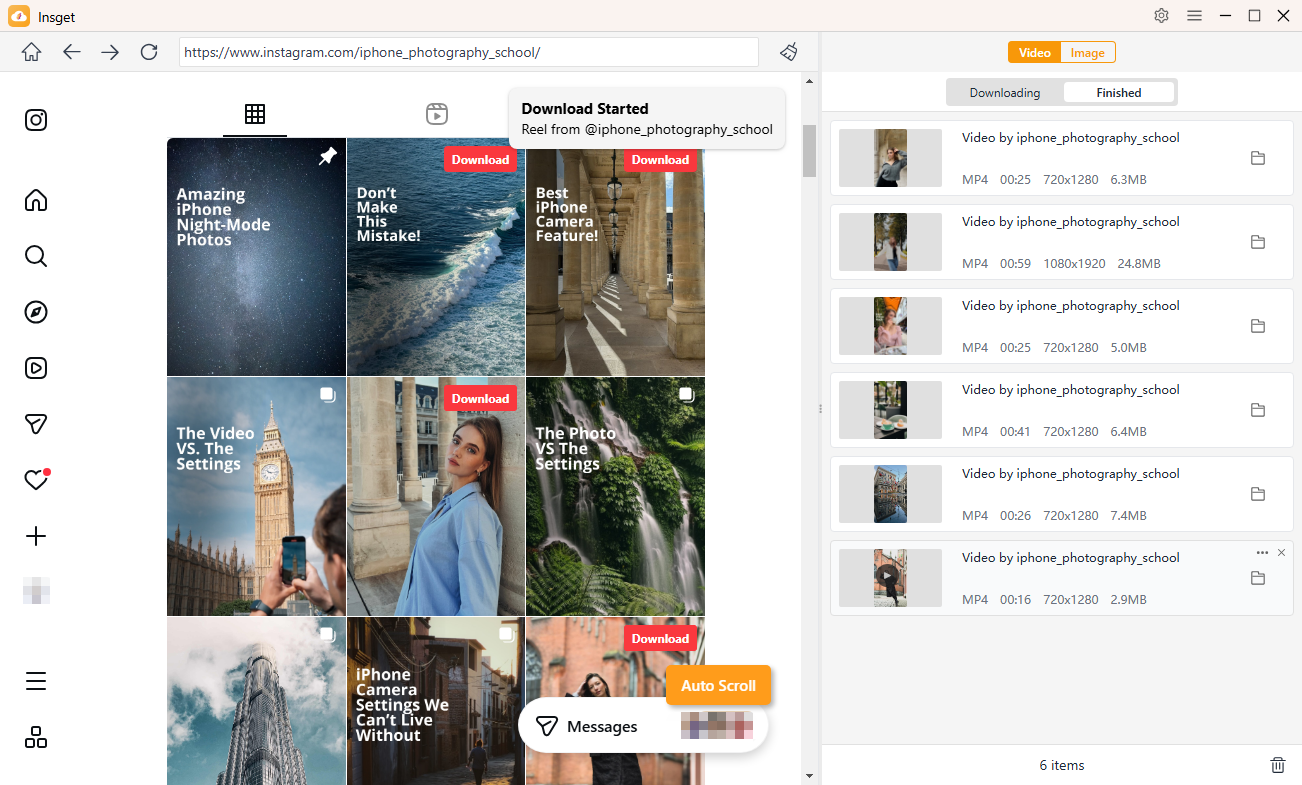
- Find the Instagram video you want, click Download to queue it up, then repeat the steps for more videos.
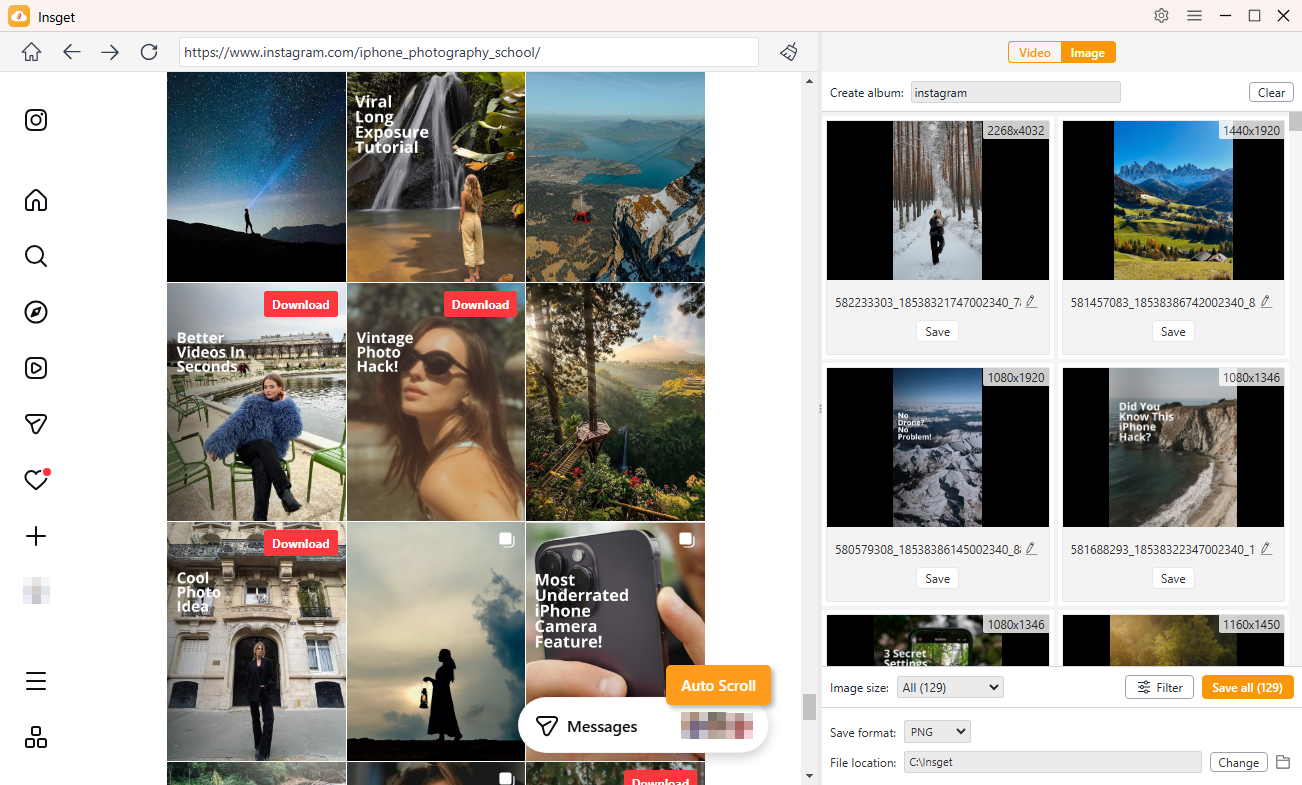
- Scroll through Instagram and let Insget scan for downloadable images in the background. Use filters to narrow your choices, select the photos you need, and download them in bulk.
4. Conclusion
Instagram doesn’t provide a direct “You were blocked” notification, but several clues can help you work it out. Searching for the username, checking old DMs and profile links, comparing what you see from another account, and checking whether the profile remains publicly accessible can help distinguish a block from a deleted, deactivated, or renamed account.
It’s also smart to protect important Instagram media before access becomes an issue. Insget offers a convenient way to back up and download Instagram photos and videos you are authorized to save, helping you keep your personal media organized and accessible.