How to Watch TikTok Without the App?

TikTok has become one of the most popular short‑video platforms in the world, attracting millions of users who scroll through entertaining clips, tutorials, trends, and viral challenges every day. While most people access TikTok through its mobile app, not everyone wants to install another application on their phone.
Some users prefer saving storage space. Others may be using a work computer where app installation isn’t allowed. Some users simply want to explore TikTok now and then without adding another app to their device. The good news is that you can absolutely watch TikTok without installing the app.
In this guide, we’ll walk you through the best ways to watch TikTok without the app, and as a bonus, show you how to download TikTok media.
1. How to Watch TikTok Without the App?
There are several easy and safe methods to watch TikTok videos without downloading the app. Below are the most effective options.
1.1 Watch TikTok on the Official Website
The simplest way to watch TikTok without the app is by using its official website.
Steps:
- Open a web browser on your phone, tablet, or computer (Chrome, Safari, Edge, etc.).
- Go to www.tiktok.com and start browsing videos on the homepage.
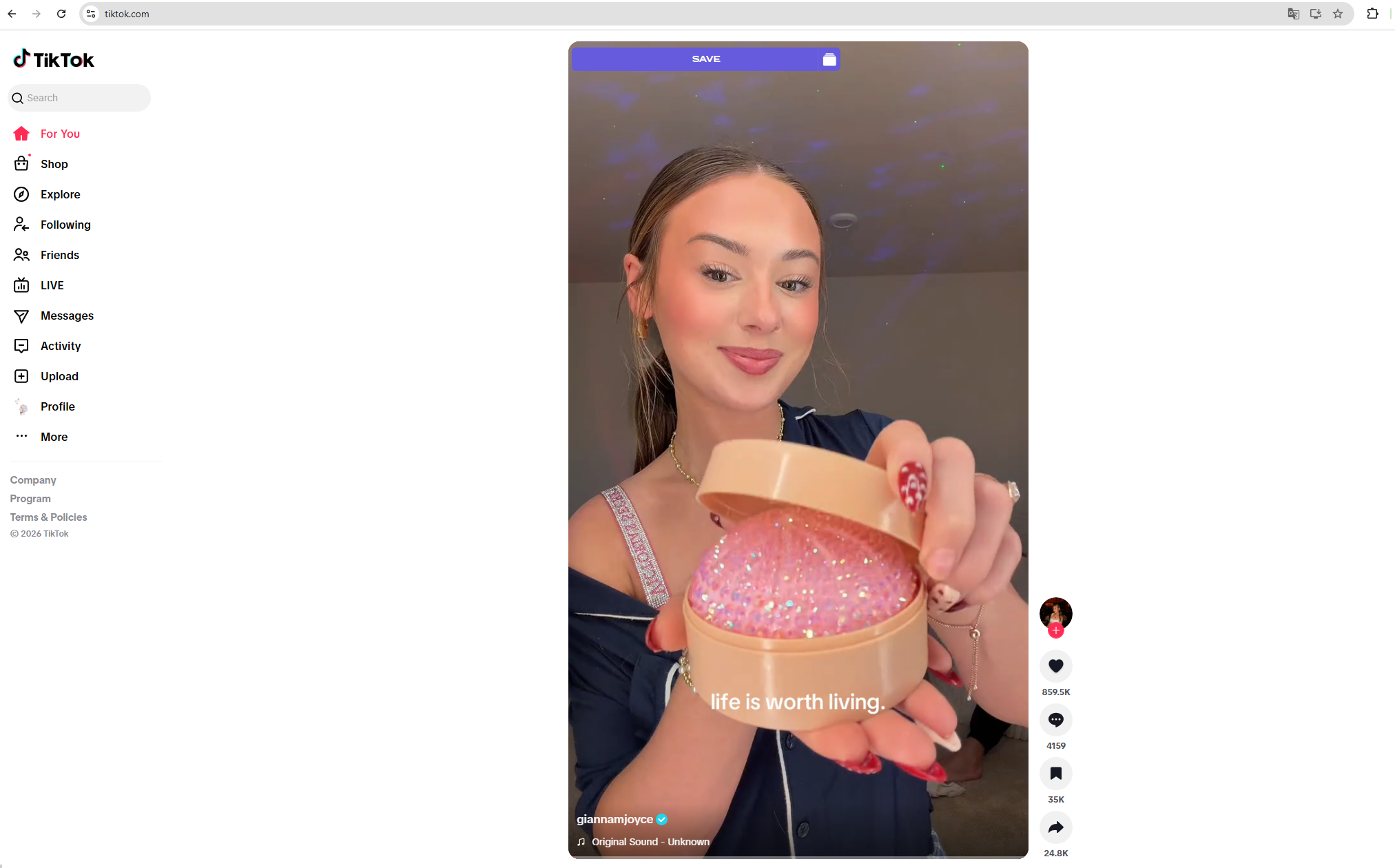
You can scroll through trending content, search for creators, and watch public videos without installing anything.
Do You Need an Account?
You do not need an account just to watch videos. However, if you want to:
- Like videos
- Leave comments
- Follow creators
- Save favorites
You’ll need to log in. But simply viewing content does not require the app or an account.
1.2 Watch TikTok Through Direct Links
If someone sends you a TikTok video link via text, email, or social media, you can watch it directly in your browser.
How It Works:
Tap or paste the TikTok URL into your browser > The video opens in the web version of TikTok > Press play and enjoy.
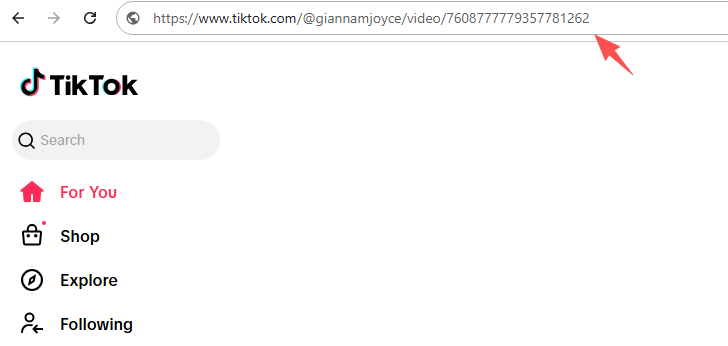
This method is quick and convenient, especially if you only want to watch specific videos without browsing endlessly.
1.3 Search TikTok Videos on Google
Another way to watch TikTok videos is by searching for them on search engines.
Steps:
- Open Google or another search engine.
- Type the creator’s name or keywords + “TikTok.”
- Click on the TikTok result.
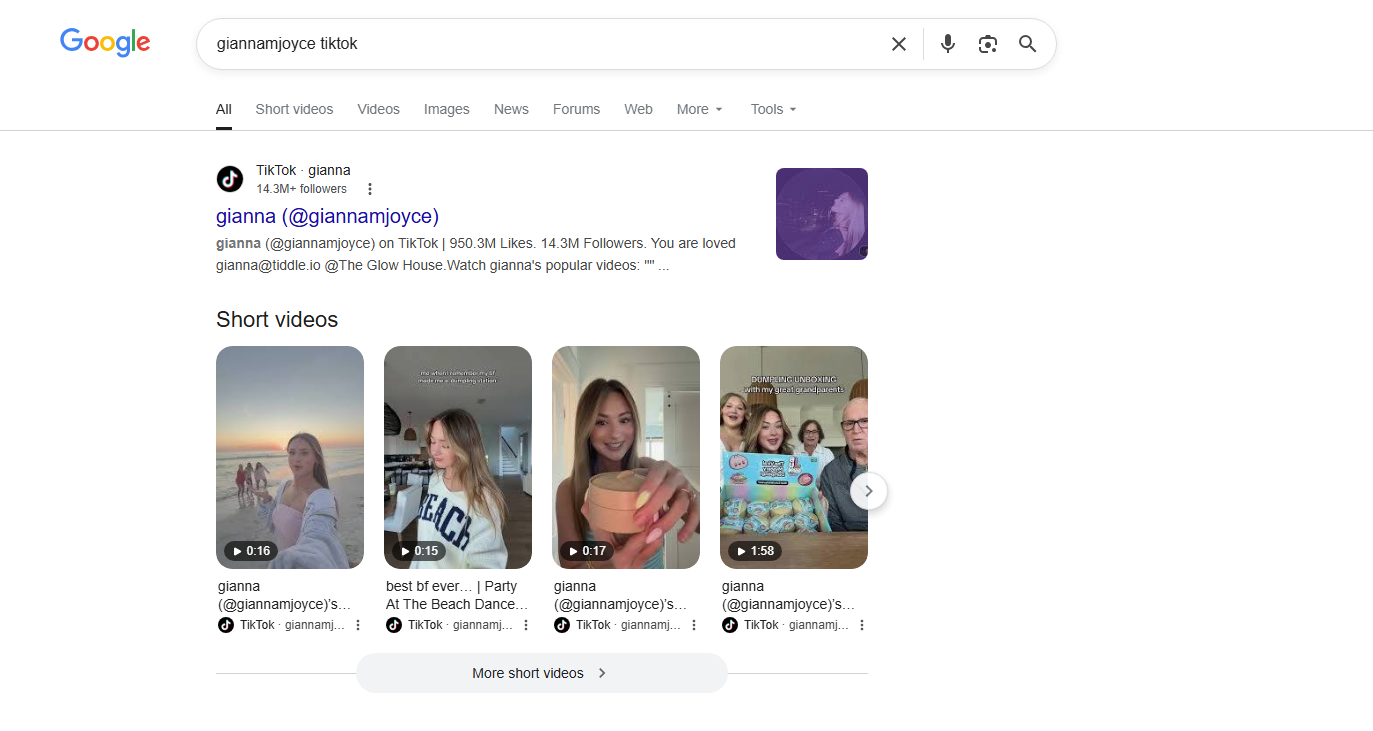
This will take you directly to the video or profile page on TikTok’s website, where you can watch without installing the app.
This method works well if you’re looking for a particular creator or viral trend.
1.4 Use Third-Party TikTok Viewers
There are also web-based TikTok profile viewer tools like Tikvib that allow you to watch public TikTok videos anonymously.
These tools may let you:
- View public profiles
- Watch videos without logging in
- Sometimes download videos

Important things to remember:
- They only work for public accounts.
- For security reasons, never provide your TikTok password to external sites.
- Features may be limited compared to the official site.
If your goal is simply viewing public content without an account, these viewers can be helpful.
2. Bonus: Download TikTok Videos and Photos with Tikget
Watching TikTok without the app is convenient – but what if you want to save your favorite videos or images? That’s where Tikget comes in.
Tikget is a tool designed to help users download TikTok videos and photos directly to their devices, without complicated steps.
Key Features of Tikget:
- One-click TikTok videos and photos download
- High-quality video and photo saving
- Download videos/photos in popular formats without watermark
- Support filtering photo slides and images
- Work without installing the TikTok app
How to Download TikTok Videos and Photos with Tikget:
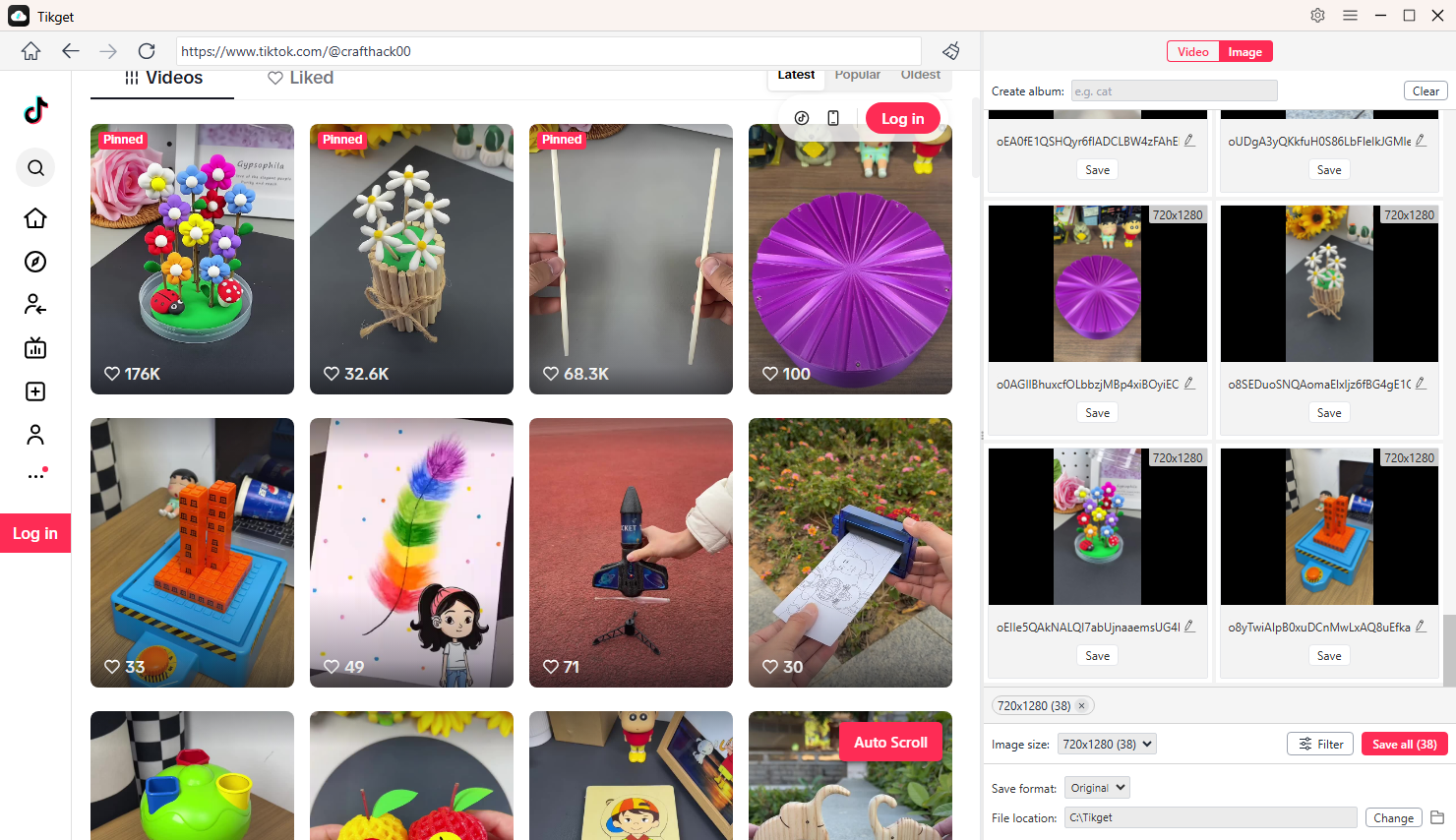
- Install Tikget on your Windows or macOS device and open the software.
- Navigate to TikTok directly inside Tikget, browse to the target video, and play it. Set your preferred output format, video quality, and save location. Click Download to add it to the task list. Tikget will automatically download the video to your computer without a watermark.
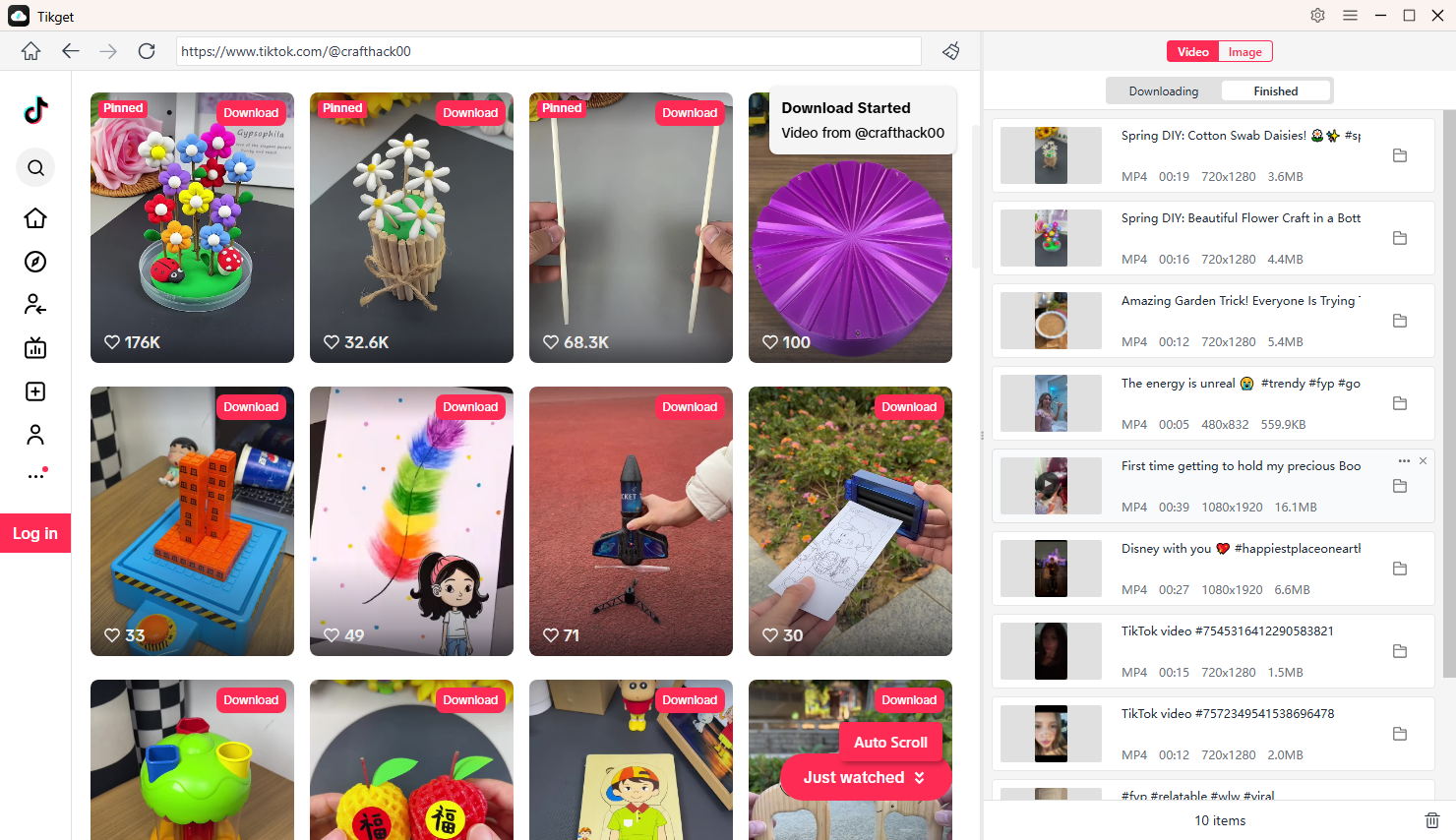
- For photo posts, scroll the page to let Tikget detect the images. Select your desired files and download them instantly with one click.
3. Conclusion
Watching TikTok without the app is easier than many people realize. You can use the official TikTok website, open direct links, search via Google, or browse from your desktop – all without installing the app.
While the browser version may have minor limitations, it works perfectly for casual viewing and saves valuable storage space on your device.
If you also want the ability to download TikTok videos and photos for offline viewing, Tikget is the ideal companion tool. With its one-click download feature, high-quality output, and simple interface, Tikget makes saving TikTok content fast and effortless.
For the best combination of app-free browsing and reliable downloading, use TikTok’s web version to watch – and Tikget to save your favorite content anytime.