Top TikTok User Finders to Search and Find TikTok Accounts

Finding a specific TikTok account can be surprisingly challenging. You may know someone’s display name but not their exact username, remember an old username that has since changed, or simply have a profile URL and want to confirm the account behind it. With millions of TikTok profiles available, searching manually can quickly become time-consuming.
Fortunately, there are several ways to find TikTok users. In this guide, we’ll look at several practical methods for finding TikTok accounts, including popular online TikTok user finders and the basic steps for using them.
1. 2. Find TikTok Users Using TikTok’s Built-In Search
The first method to try is TikTok’s own search feature. It is free, requires no third-party service, and is usually the quickest way to find an account when you know its username or display name.
You can search for:
- TikTok usernames
- Display names
- Keywords
- Hashtags
- Video-related terms
How to Find a TikTok Account with TikTok Search:
- Open TikTok and tap the Search button.
- Enter the person’s username, display name, or a related keyword.
- Browse the results and switch to the user-related results when available.
- Compare profile pictures, bios, usernames, and other public information.
- Open the profile that appears to match your search.
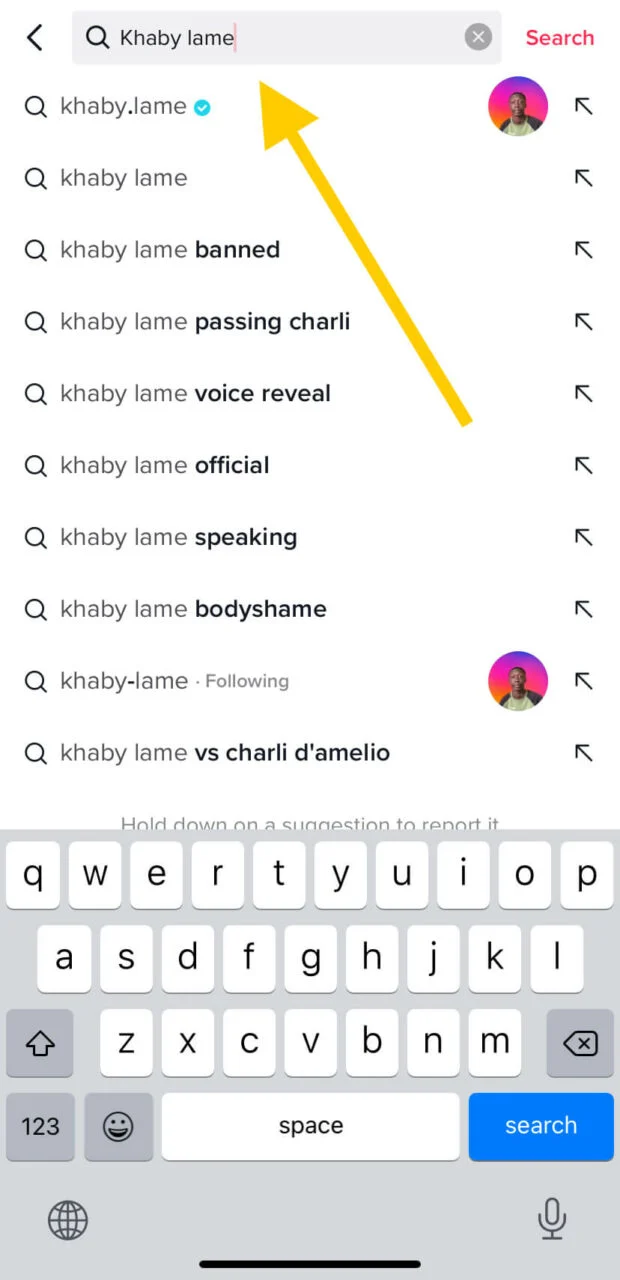
If you know the exact @username, this method is generally the best place to start. However, searches can become less effective when you only know a common name or when the account has changed its username.
2. Find TikTok Users Using Google Search
Google can also work as a useful TikTok user finder. Search engines index many public TikTok pages, so you may be able to find a profile even when TikTok’s own search doesn’t produce the result you’re looking for.
For example, you can search for a person’s name or username together with TikTok. You can also use the site:tiktok.com operator to focus results on TikTok.
How to Find TikTok Users with Google:
- Open Google.
- Enter the person’s known name, nickname, or username.
- Add TikTok to the search query.
- Try
site:tiktok.comto narrow results to TikTok pages. - Check the returned profiles and compare their public information.
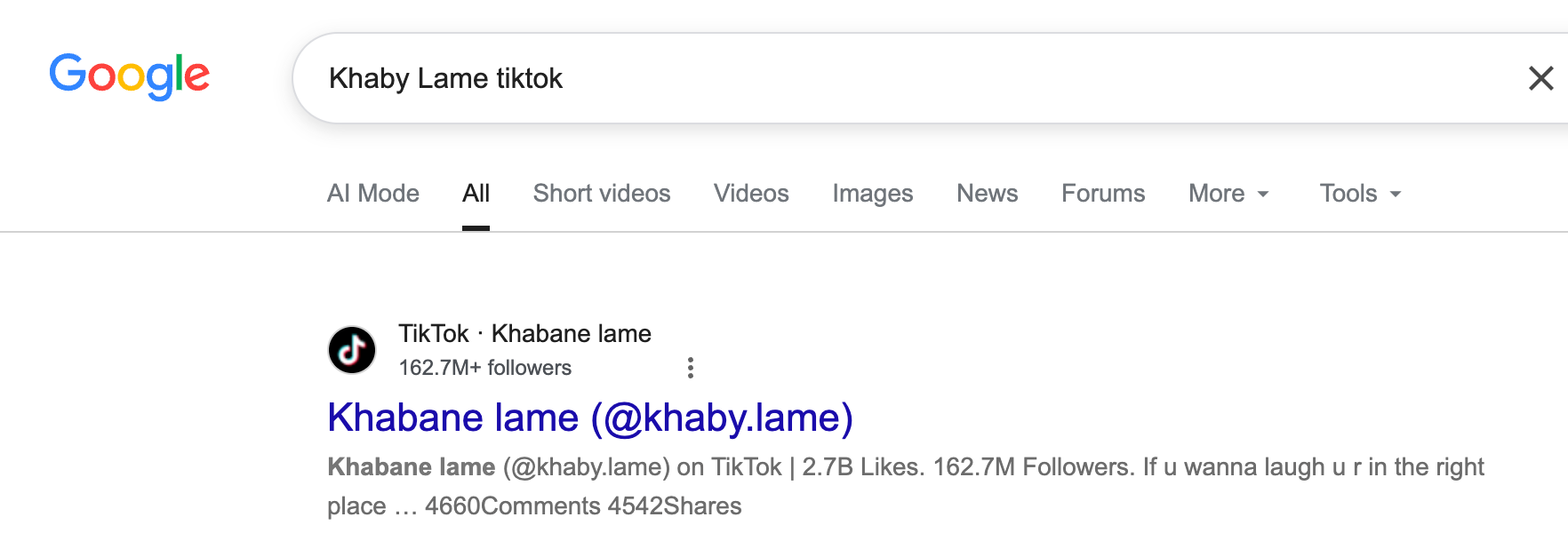
Google is particularly useful when you know additional details about the creator. For example, combining a username with a profession, location, or content topic can sometimes eliminate unrelated results.
However, Google only finds pages that it has indexed. Private accounts, newly created profiles, deleted pages, and content unavailable to search engines may not appear.
3. Find TikTok Users Using TikTok Online User Finders
If TikTok and Google don’t give you enough information, dedicated online user finders can provide another option. These tools generally work with publicly available information and may let you search by username, profile URL, or other public identifiers.
Here are several options worth considering:
- Omar-Thing TikTok User Finder
- SocialFinder AI TikTok Finder
- commentpicker TikTok ID Finder
Steps:
- Open the TikTok User Finder website, e.g. omar-thing.site.
- Enter a TikTok username, profile URL, or user ID, then click Fetch Data or similar buttons.
- Review the available public profile information. Compare the results with the official TikTok profile to confirm the account.

4. Bonus: Back Up or Download TikTok Videos and Photos with Tikget
After finding the TikTok accounts you’re interested in, you may want to save their videos or photos for offline access or backup. Tikget is a professional TikTok video and photo downloader designed to make saving TikTok media quick and convenient.
Main Features of Tikget:
- Download TikTok videos, photos, and audio in batches.
- Support media downloads up to 8K.
- Save TikTok videos and photos without watermarks.
- Export videos, audio, and images in various formats.
- Filter target images by quality or file type.
How to Download TikTok Media with Tikget:
- Download and install Tikget on your Windows or macOS computer, then open the software.
- Open TikTok directly in Tikget, find and play the video you want to save, then choose your preferred format, quality, and output folder. Click Download to add the video to the task list, and Tikget will automatically save it to your computer without a watermark.

- For TikTok photo posts, scroll through the page to allow Tikget to detect the available images. Select the photos you want and click to save them instantly with one click.

5. Conclusion
Finding a specific TikTok account doesn’t have to be a time-consuming process. TikTok’s built-in search is a good starting point when you know the username or display name, while Google can help locate publicly indexed profiles. If these methods aren’t enough, online TikTok user finders can provide another convenient way to search for accounts using usernames, profile URLs, or other public information.
Once you’ve found the accounts and content you’re looking for, Tikget offers a convenient way to back up or download TikTok videos and photos. With support for batch downloads, high-quality media, multiple formats, and watermark-free downloads, it can make managing TikTok content much easier.
Overall, if you regularly search for TikTok accounts and want a professional tool to save videos and photos, Tikget is a recommended choice for convenient TikTok media downloads and backups.